

Drawing Desk paint,draw,papers
Chaochuan Zhang · Education
Independent analytics for this App Store listing. AppTracker is not affiliated with Chaochuan Zhang.
Chart standing · US
What changed · US
Listing changes AppTracker has observed for this app in this storefront — new versions, price moves, rating shifts, and store copy.
Price & rating history · US
Reconstructed from the listing changes AppTracker has observed in this storefront. A field is charted once it has changed more than once, and each line starts at the value it moved from.
Average rating · ★ 4.26 now · 2 changes on record
Ratings breakdown · US
The star breakdown behind this app's rating in this storefront.
In-app purchases · US
What this app sells inside itself, grouped by kind and priced for this storefront.
Screenshots


About
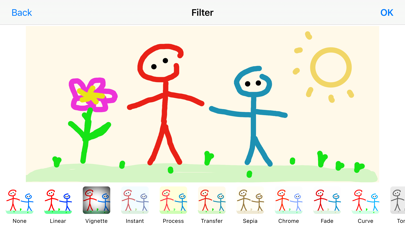
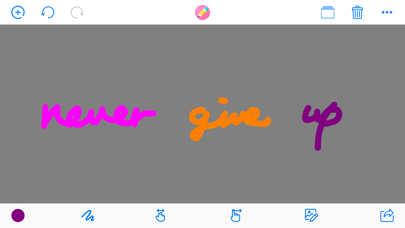
Drawing Desk Key Features: * Draw on whiteboard, blank canvas or your photos, pictures & images with Pen, Line, Arrow, Rect(Stroke), Rect(Fill), Ellipse(Stroke), Ellipse(Fill), Eraser. * Edit your photos, pictures & images with Filter, Adjustment, Effect, Blur & Focus, Rotate, Draw, Splash, Crop, Resize, ToneCurve, Sticker, Emotions, Text. * Draw everything what you want with the tools and colors what you like. * Custom the size(0-50) of your drawing tools. * Custom the alpha(0-1) of your drawing colors. * Undo, Redo, Clear and Wipe off drawing actions. * Add blank paper to your canvas restart your drawings. * Change the background color by pressing on the ColorsPicker. * Remember your last used marker colors and sizes and your canvas color. * Import photos from your album or take pictures through camera or choose images from template to trace, annotate, and have fun with them. * Save your drawings to your Photos Library. * Print your drawings to AirPrint enabled printers. * Draw together and share with your friends and family through the social media app. Just send your drawing to them and they can open it and draw on it too and then send it back. Please rate it to support us to do better and for more people can find, download, use and enjoy it. Please share it with your friends and family members to help for getting the word out. Please send email to us in app and let us know how you use it, also send us your drawings, questions, concerns and feedbacks. Our simple goal is just to make the funny and easy to use this drawing and editing app for kids and everyone who like drawing and editing. We will go on to improve it with your reviews, feedbacks, supports. We will be so happy if you and someone you know who both enjoy using it.
What's new · 3.5
-Fix bugs -Adapt for iOS 17 -Performance & stability improvements
Details