

Universal Time Table Widget
mitesh soni · Productivity
Independent analytics for this App Store listing. AppTracker is not affiliated with mitesh soni.
Chart standing · US
What changed · US
Listing changes AppTracker has observed for this app in this storefront — new versions, price moves, rating shifts, and store copy.
Your day, on every Home Screen. — A fresh look for widgets: tinted and clear Home Screen styles keep your timetable easy to read, with colour highlighting what’s happening now. — Redesigned Lock Screen widgets show your current class, a live countdown, what’s next, and your day’s progress. The circular widget fills up as your day goes on. — VoiceOver now reads each widget as one clear sentence. — Edit with confidence: tap Done to save all your changes together. Go back with unsaved changes and we’ll ask first. Your work is kept safe even if the app closes. — Pinch in the editor to switch smoothly between the two sizes. — Timetables you leave unchecked in “Keep your timetables?” now stay on your iPhone. — Tapping a widget now opens the right timetable, even when the app is closed. — On Apple TV, subject names are easier to read on dark cells.
Ratings breakdown · US
The star breakdown behind this app's rating in this storefront.
In-app purchases · US
No in-app purchases.
Screenshots
About
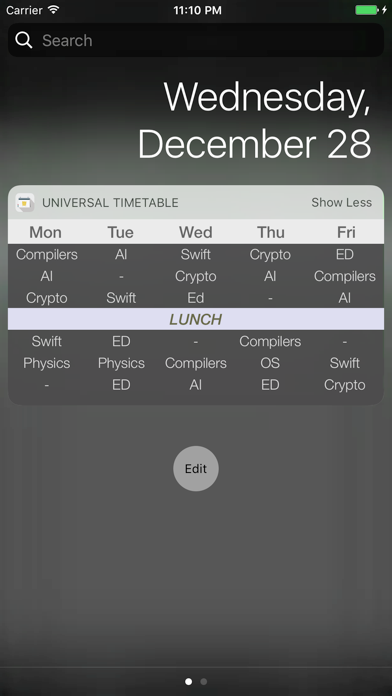
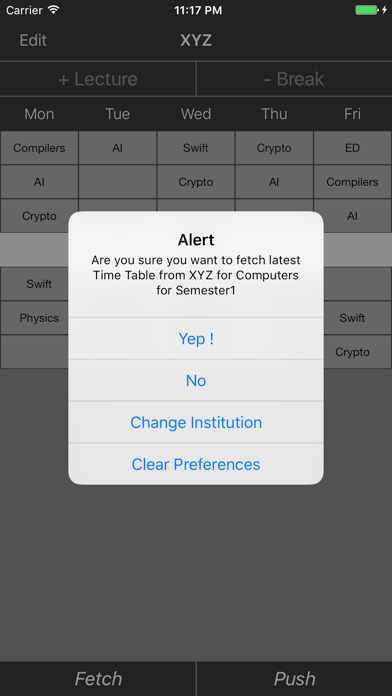
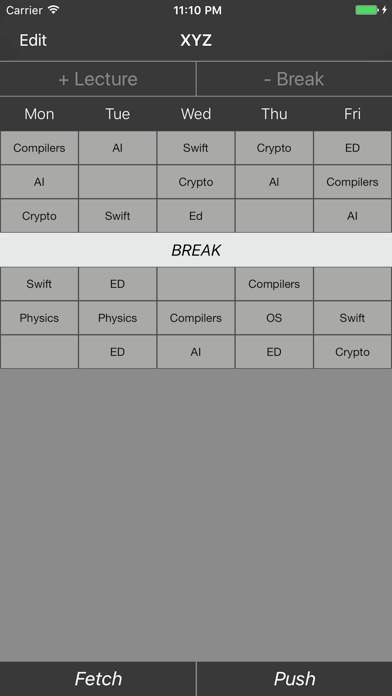
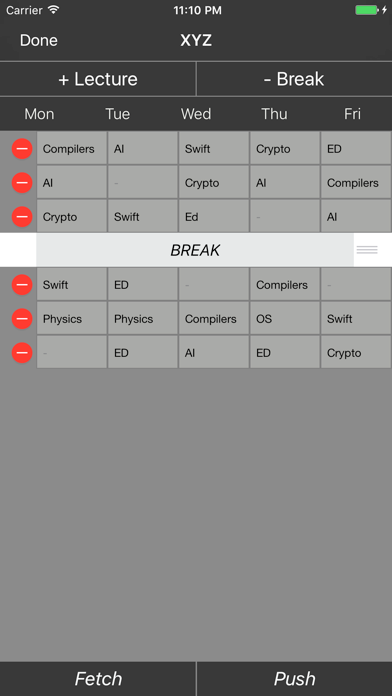
Remembering what to carry to class is harder than it sounds — especially when your timetable changes mid-semester and the group chat is no help. 1TimeTable keeps your schedule on your home screen, always up to date, without any back and forth. Build your timetable in a simple day-by-period grid. Assign colors to subjects, mark breaks, set your working days. Once it's set up, pin it to your home screen as a widget and your day is right there the moment you pick up your phone. The sharing part is just a 6-character code. Send it to your class, and anyone who subscribes will automatically get your updates — no group chats, no PDFs, no "wait which version is this?" Prefer a picture? Share your timetable as a ready-made image card — QR code and share code included — perfect for stories and group chats. Every timetable also has a live web page at 1timetable.app — classmates without the app can open the link and follow along right in the browser. If your timetable is public, it's also searchable by institution, department, and semester. Students can find and subscribe to the right one without needing the code at all. WHAT'S INCLUDED — Home screen and lock screen widgets — Live updates when a timetable changes — Color-coded subjects with custom overrides — Configurable days (Mon–Fri, Mon–Sat, or custom) — Share via 6-character code or direct link — A live web page for every timetable at 1timetable.app — Public search by institution, department, semester — Sign in with Apple for quick, private sign-up — Public or private timetables — Share as an image card (QR + code baked in) — Apple TV app with QR-code linking
What's new · 2.6.0
Your day, on every Home Screen. — A fresh look for widgets: tinted and clear Home Screen styles keep your timetable easy to read, with colour highlighting what’s happening now. — Redesigned Lock Screen widgets show your current class, a live countdown, what’s next, and your day’s progress. The circular widget fills up as your day goes on. — VoiceOver now reads each widget as one clear sentence. — Edit with confidence: tap Done to save all your changes together. Go back with unsaved changes and we’ll ask first. Your work is kept safe even if the app closes. — Pinch in the editor to switch smoothly between the two sizes. — Timetables you leave unchecked in “Keep your timetables?” now stay on your iPhone. — Tapping a widget now opens the right timetable, even when the app is closed. — On Apple TV, subject names are easier to read on dark cells.
Details