

OmniGraffle 3
The Omni Group · Graphics & Design
Independent analytics for this App Store listing. AppTracker is not affiliated with The Omni Group.
Chart standing · US
What changed · US
Listing changes AppTracker has observed for this app in this storefront — new versions, price moves, rating shifts, and store copy.
OmniGraffle 3.23 improves compatibility with newer versions of iOS and iPadOS. If you have any feedback or questions, we’d love to hear from you! The Omni Group offers free tech support; you can email omnigraffle@omnigroup.com or call 1–206–523–4152. If OmniGraffle empowers you, we would appreciate an App Store review. Your review will help other people find OmniGraffle and make them more productive too.
Price & rating history · US
Reconstructed from the listing changes AppTracker has observed in this storefront. A field is charted once it has changed more than once, and each line starts at the value it moved from.
Average rating · ★ 2.53 now · 2 changes on record
Ratings breakdown · US
The star breakdown behind this app's rating in this storefront.
Screenshots






About
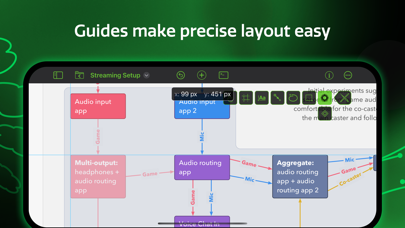
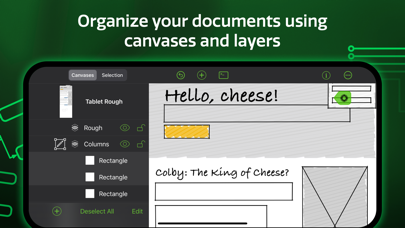
Design, create, sketch, and diagram. An incredibly powerful app for both beginners and professionals. Start the 2-week trial now. Create quick, beautiful, and portable charts, graphics, designs, mockups, and more. Use your iPad and iPhone screen as your paper, canvas, and whiteboard—all in one. It comes with thousands of searchable objects via Stenciltown, like server racks, space planning stencils, iconography, and more. OmniGraffle provides a thoughtful, professional interface for creating everything from basic wireframes to polished interface sketches, tools to construct SVG graphics for your next website, or designing the layout for your next hundred-server project. A thoughtful sketch or professional diagram communicates far better than words. When you need a clear understanding of how information needs to be presented or how processes are carried out, OmniGraffle 3 for iOS is the tool to help you organize your thoughts visually, document them beautifully, and communicate them to the world. OmniGraffle 3 has features and functionality you won’t find anywhere else, and it behaves exactly how you’d expect an iPad and iPhone app should with multitouch gestures, Share Sheet integration, and more. NEW IN 3: - Redesigned interface to make common tasks readily available. - Canvas Size Modes: choose between Fixed, Flexible, or Infinite. - Cross-Platform Automation with JavaScript - SVG Import - Unified Sidebar List of Canvases, Layers, and Objects - Group Visibility - Artboards and Artboard Layers (PRO) - App Lock - Hot Keys for Tools - Convert Text to Shape (PRO) - Zoom to Object, Scroll to Selection PRO features (in-app purchase): - Visio Import and Export - Blending Modes & Fill Effects - Artboards and Artboard Layers - Shared Layers - Shape Combinations - Shape Tables - Automation Plug-Ins and Actions STANDARD features (in-app purchase) include: - Layers - Grids - Automatic Layout - Unit Scaling - Shape Recognition - Bézier Lines & Shapes - Point Editing - Full Screen Split View - Smart Guides - Free Stencils via Stenciltown.com — search and download on the web or in the app - OmniOutliner Import & Export - Freehand Sketch - Automatic Diagram Layout - Create Multi-Page (canvas) documents - Share pages quickly with PNG, PDF Export - Wrap text within custom shapes - Quickly change a shape’s style with the Style Inspector - Save Documents to Photos Subscription Terms of Service: https://www.omnigroup.com/legal
What's new · 3.23
OmniGraffle 3.23 improves compatibility with newer versions of iOS and iPadOS. If you have any feedback or questions, we’d love to hear from you! The Omni Group offers free tech support; you can email omnigraffle@omnigroup.com or call 1–206–523–4152. If OmniGraffle empowers you, we would appreciate an App Store review. Your review will help other people find OmniGraffle and make them more productive too.
Details