

Timeful
Kaolin Fire · Productivity
Independent analytics for this App Store listing. AppTracker is not affiliated with Kaolin Fire.
Chart standing · US
In-app purchases · US
No in-app purchases.
Screenshots
Similar apps
Competitors and close alternatives, as estimated by AppTracker.
 Timora - Voice Clock
兵 王
Timora - Voice Clock
兵 王
 Cadence: Pomodoro Focus Timer
Joshua Eastman
Cadence: Pomodoro Focus Timer
Joshua Eastman
 Delightful Visual Timer
SIMON HEUSCHKEL
Delightful Visual Timer
SIMON HEUSCHKEL
 Time Wallet: Unrot Your Brain
Kai Schwetz
Time Wallet: Unrot Your Brain
Kai Schwetz
 15 Minutes - Timer Tracker
Devpool
15 Minutes - Timer Tracker
Devpool
 Tide Lite: Natural Focus Timer
Guangzhou Moreless Network Technology Co., Ltd
Tide Lite: Natural Focus Timer
Guangzhou Moreless Network Technology Co., Ltd
 FocusBite Pomodoro Timer
Valeri Shnaider
FocusBite Pomodoro Timer
Valeri Shnaider
 Handy Timer
Orhan Keskin
Handy Timer
Orhan Keskin
About
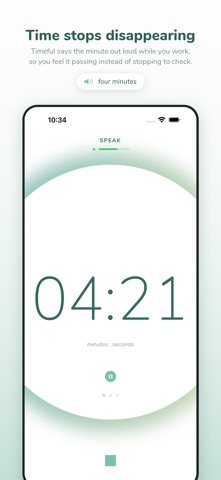
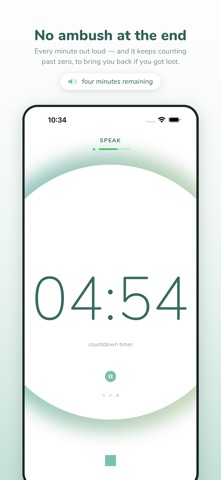
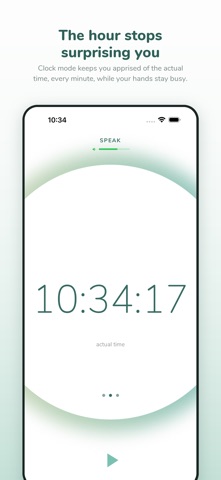
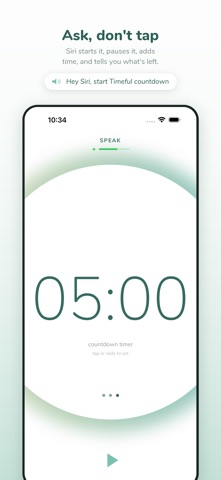
Timeful says the time out loud, on the minute, so time stops disappearing. Made for time blindness - the ADHD kind, the hyperfocus kind, the where-did-that-hour-go kind. The alarm was never really the problem. The problem is that nothing happens between starting and the alarm, so when it goes off it goes off out of nowhere. Timeful fills that gap. You hear "four minutes", then "five minutes", and time becomes something you can feel passing instead of something you have to keep stopping to check. By the time the end arrives you already knew it was coming, and you have been winding down for a while. Nothing to look at. No jarring alarm. Just a voice, once a minute, while you get on with what you were doing. THREE SIMPLE MODES • TIMER - counts up from zero. How long have I actually been at this? • CLOCK - keeps you apprised of the actual time, every minute. The thing at three o'clock stops being a thing that happens at three o'clock. • COUNTDOWN - counts down when that helps, and keeps counting after zero - "two minutes over" - to bring you back if you got lost. Same idea three ways: you hear it coming. SIRI SHORTCUTS - COMPLETELY HANDS-FREE Just say "Hey Siri" followed by: Timer Commands: • "Start Timeful timer" • "Start the Timeful timer" Clock Commands: • "Start Timeful clock" • "Show clock in Timeful" Countdown Commands: • "Start Timeful countdown for 20 minutes" • "Start Timeful countdown for 5" (Siri durations: 1, 2, 3, 5, 10, 15, 20, 25, 30, 45, or 60 minutes - type any length in the app) Stop Commands: • "Stop Timeful" • "Stop Timeful timer" Also: "Timeful add 5 minutes", "Timeful remove 2 minutes", "How much time in Timeful", "Pause Timeful", "Resume Timeful", "Restart Timeful". Create custom phrases in Settings → Shortcuts like "homework timer" or "break time." WHILE YOU'RE ELSEWHERE • A Live Activity keeps the count on your Lock Screen and in the Dynamic Island • Lock Screen and Control Center controls start, pause, and shift a countdown by five minutes • Home Screen quick actions - long-press the icon to start, stop, or restart • Music Priority plays Timeful alongside your music, dipping it only for announcements • Tells you when your device is muted, before you rely on it • iPhone and iPad KEY FEATURES • Voice announces every minute clearly • Continues in background/locked screen • No jarring alarms • Works with Dynamic Type for larger text • Simple, distraction-free interface • One-time purchase (no subscriptions!) WHERE IT HELPS Anywhere the point is knowing how long you have been at it and how long is left: work blocks and Pomodoro intervals, homework and study sessions, morning and evening routines, coming out of hyperfocus, transitions between tasks, cooking, workouts, meditation and breathing practice, screen-time limits, kids' turns. WHY TIMEFUL? A visual timer only works if you look at it, and looking is the thing that breaks your focus. Timeful tells you instead. The announcements are quiet, regular and easy to half-ignore, which is exactly what makes them work: no anxiety while you are in it, and no ambush at the end. "From the time you start until the time you stop, Timeful counts aloud to help you be mindful of every minute." Produced by Craig Mieritz Design by Fiel Valdez
What's new · 1.4
Set a countdown by sliding the digits. Drag the big number up or down and it turns like a wheel, with a tick per minute; the value it will land on stands out from the rest. Tap the number to type one instead. Timeful in Control Center. Add the Timeful Timer and Timeful Countdown buttons to Control Center, the Lock Screen, or the Action button. Timer starts the count-up timer, or stops what is running; Countdown starts your last duration. They open Timeful, so the voice can keep going. Also: stopping a paused countdown now announces the time it was paused at, and so do Siri and the Lock Screen card. The Clock card on the Lock Screen keeps up with the minute, and the countdown card carries on past zero even when the phone has been locked a while. The quiet line under the countdown ("tap or slide to set") only shows when nothing is running. From 1.3.3: the final time is spoken on stop; Restart starts cleanly from zero; Siri status is right after the app is closed.
Details