

Manual Camera, Pro DSLR | RAW+
Dynamic App Design LLC · Photo & Video
Independent analytics for this App Store listing. AppTracker is not affiliated with Dynamic App Design LLC.
Chart standing · US
What changed · US
Listing changes AppTracker has observed for this app in this storefront — new versions, price moves, rating shifts, and store copy.
What's New in 1.2.36 Crash fixes What's New in 1.2.35 NEW • Aperture dial (iPhone 18 Pro and iPhone 18 Pro Max only): set the f-stop of the variable-aperture lens right next to ISO and shutter speed. Fixed-aperture lenses show a "Fixed Aperture Lens" note. • Self-timer: 3 or 10 seconds, in Settings. The shutter button counts down; tap it again to cancel. • Luma histogram: the Histogram setting now switches between RGB and a white, brightness-only histogram. • Level line: like the Camera app, a horizon line in the middle of the screen that turns yellow when you're level. • Focus peaking and a zoom loupe while focusing manually (can be turned off in Settings). • Take photos with Camera Control or the volume buttons. • No more ads. REDESIGNED CONTROLS • Each exposure dial has its own color (green shutter speed, purple ISO, amber aperture) with icons and bigger, easier-to-read numbers. • New tick marks and a haptic click for every step as you turn a dial. • The selected white balance now shows in white. • New settings icon and a more compact Settings screen. IMPROVEMENTS & FIXES • The live preview now matches the exposure of the photo you take, and TrueRAW photos match the preview's brightness. • RAW+JPG shots are saved as two separate photos. • Fixed crashes when shooting 48 MP JPG, switching lenses and setting white balance. • Smoother photo viewer: swiping no longer gets stuck, and f-numbers display correctly. • Updated for iOS 26.
Ratings breakdown · US
The star breakdown behind this app's rating in this storefront.
In-app purchases · US
What this app sells inside itself, grouped by kind and priced for this storefront.
Screenshots

About
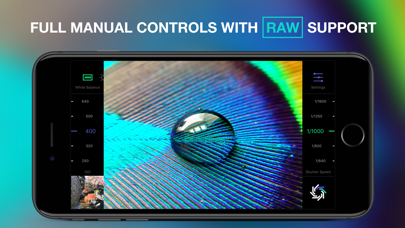
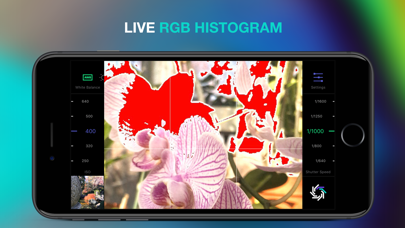
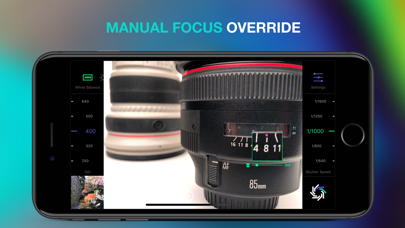
RAW+ is a minimalist camera for purists and professionals and puts total creative control back into your hands with a streamlined, manual-first interface. Shoot in RAW, JPG or both simultaneously. RAW+ is ALWAYS manual exposure- shutter and ISO controls are always on screen and easily accessible via huge sliders(The aperture is fixed on the iPhone and thus not adjustable- but you knew that already). Manual focus override any time as well as custom white balance settings. Professional Imaging Pipeline- TrueRAW: Shoot pure, unadulterated RAW data with zero post-processing. ProRAW: Leverage Apple's fusion pipeline and high-dynamic-range enhancements. 48MP Support: Toggle maximum resolution for ProRAW on supported sensors and lenses. Manual Shutter Speed Manual ISO Manual Aperture Control- iPhone 18 Pro only Manual Focus Override: Take control of your focal plane at any moment. Custom White Balance: Choose from 8 presets or set a specific Kelvin value. Essential Tools- RGB Histogram: Monitor your color channels in real-time. Clipping Warnings: Live highlights and shadow overlays to prevent lost detail. Composition Aids: Integrated Grid and Level overlays for perfect framing. Format Flexibility: Support for RAW, ProRAW, and high-quality JPG. Compatibility- RAW Support: iPhone SE, 6s, and newer devices. ProRAW Support: iPhone 12 Pro, 12 Pro Max, and all subsequent Pro models. Terms of Service: dynamicappdesign.com/tos
What's new · 1.2.36
What's New in 1.2.36 Crash fixes What's New in 1.2.35 NEW • Aperture dial (iPhone 18 Pro and iPhone 18 Pro Max only): set the f-stop of the variable-aperture lens right next to ISO and shutter speed. Fixed-aperture lenses show a "Fixed Aperture Lens" note. • Self-timer: 3 or 10 seconds, in Settings. The shutter button counts down; tap it again to cancel. • Luma histogram: the Histogram setting now switches between RGB and a white, brightness-only histogram. • Level line: like the Camera app, a horizon line in the middle of the screen that turns yellow when you're level. • Focus peaking and a zoom loupe while focusing manually (can be turned off in Settings). • Take photos with Camera Control or the volume buttons. • No more ads. REDESIGNED CONTROLS • Each exposure dial has its own color (green shutter speed, purple ISO, amber aperture) with icons and bigger, easier-to-read numbers. • New tick marks and a haptic click for every step as you turn a dial. • The selected white balance now shows in white. • New settings icon and a more compact Settings screen. IMPROVEMENTS & FIXES • The live preview now matches the exposure of the photo you take, and TrueRAW photos match the preview's brightness. • RAW+JPG shots are saved as two separate photos. • Fixed crashes when shooting 48 MP JPG, switching lenses and setting white balance. • Smoother photo viewer: swiping no longer gets stuck, and f-numbers display correctly. • Updated for iOS 26.
Details