

Noted: Record & AI Transcribe
Digital Workroom Ltd · Productivity
Independent analytics for this App Store listing. AppTracker is not affiliated with Digital Workroom Ltd.
Chart standing · US
What changed · US
Listing changes AppTracker has observed for this app in this storefront — new versions, price moves, rating shifts, and store copy.
We’ve fixed a few issues affecting some users who upgraded to iOS 27. Update now for a smoother Noted experience! If you’re still facing any issues or have feedback, reach out to us via support@notedapp.io -- Noted 7.0 is here with Speaker Identification and iOS 27 updates. • Identify speakers Noted can now label the speakers in your recordings, making conversations and meetings easier to follow. Just toggle on ‘Identify Speakers’ before starting the transcription, and they’ll magically appear at the end! Give each speaker a name, and we’ll automatically tag the same person in future recordings. • Ask Siri about your notes Starting iOS 27, Siri AI can search across your recordings and find the information you need without even opening Noted. Ask it to summarize, give you key points, or find the timestamp for a specific topic or word. Just say “Hey Siri” at any time and if you have a note opened — you can even say things like “Summarize this note” Requires Apple Intelligence and language set to English. • Larger Widgets See your recent notes at a glance with our new and extra-large widget. — If you’re enjoying Noted, let us and other note-takers know by leaving us a review!
Ratings breakdown · US
The star breakdown behind this app's rating in this storefront.
In-app purchases · US
What this app sells inside itself, grouped by kind and priced for this storefront.
Screenshots




Similar apps
Competitors and close alternatives, as estimated by AppTracker.
 Notee: AI Note Taker
GM UniverseApps Limited
Notee: AI Note Taker
GM UniverseApps Limited
 Note AI: Smart Note Taker
HUBX YAZILIM HIZMETLERI ANONIM SIRKETI
Note AI: Smart Note Taker
HUBX YAZILIM HIZMETLERI ANONIM SIRKETI
 HiNoter - AI Note Taker
Chongqing Yeyuegua Technology Co., Ltd
HiNoter - AI Note Taker
Chongqing Yeyuegua Technology Co., Ltd
 VoiceNotes: Audio Recordings
MobileTech OU
VoiceNotes: Audio Recordings
MobileTech OU
 Notability: AI Notes & Planner
Ginger Labs
Notability: AI Notes & Planner
Ginger Labs
 Transcribe Audio to Text Notes
WBS s. r. o.
Transcribe Audio to Text Notes
WBS s. r. o.
 Voice Recorder & Transcribe
Jakub Bartus
Voice Recorder & Transcribe
Jakub Bartus
 SoundNote Pro - Voice Memos
Newkline Co., Ltd.
SoundNote Pro - Voice Memos
Newkline Co., Ltd.
About
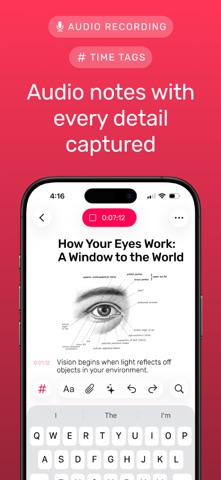
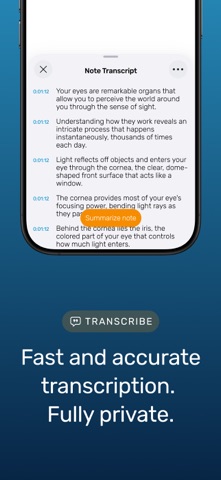
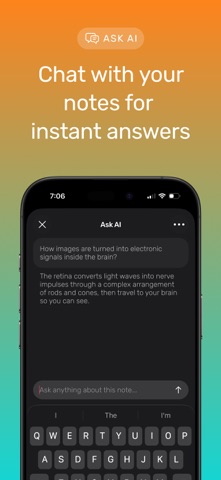
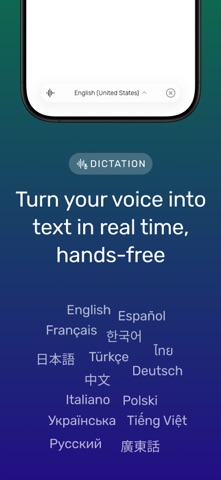
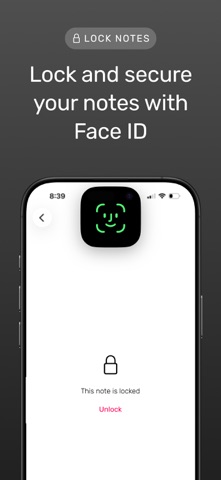
Meet Noted: Your Essential Audio Note-Taking Study Tool & Meeting Companion Unlock the power of Noted, the ultimate voice recorder and note app, designed to simplify your study and work life. Record, transcribe, and organize all in one place. Don’t let important details slip away—Noted captures every word, so you can focus on what really matters. KEY FEATURES: • Audio Transcription: Convert audio or video files into precise text • Time-Stamped Notes: Link important moments in your audio to specific points in your notes for quick access • Intelligent Playback: Skip silences and unwanted noise with advanced Machine Learning features • Voice Typing: Dictate your notes and convert speech to text instantly • Crystal-Clear Recording: Capture audio with background noise reduction, even in busy places • Easy Sharing: Share via iCloud, PDF, TXT, M4A, or web links • Cross-Device Sync: Access notes on iPhone, iPad, Mac and even Apple Watch via iCloud. • Reminders: Schedule revision alerts for meetings, lectures, or exams • Custom Themes: Personalize your experience with unique theme options • Quick Access Widgets: Record right from your home screen • Secure Notes: Lock notes for extra privacy • Multi-Language Support: Available in 18 languages and counting Why Noted? Whether you’re a student capturing every lecture or a professional aiming to stay organized, Noted keeps all your notes in one searchable, secure place. Say goodbye to scattered notes and missed details. Boost Your Productivity Today! Try Noted for free with a 7-day trial and experience note-taking without the hassle. Download now and see why it’s the app you’ll rely on daily! Noted offers the following subscription options (prices may vary by location): • Free 7-Day Trial with Yearly plan • Monthly Plan: Auto-renews, Flexible with full access (no trial) • Lifetime Access: One-time purchase for permanent full access (no trial) Manage Subscriptions: • Payment charged to your App Store account after the free trial ends • Subscriptions auto-renew unless canceled 24 hours before the period ends • Unused trial periods are forfeited when the subscription starts • Manage your subscription in Noted Account Settings or App Store Account Settings Family Sharing: • Available on Yearly plans For support, reach out at support@notedapp.io. Follow Us: TikTok: @notedapp X: @EverythingNoted Instagram: @notedapp Facebook: everythingnoted Privacy Policy: https://www.notedapp.io/privacy-policy/ Terms of Service: https://www.notedapp.io/terms-of-use/
What's new · 7.0.5
We’ve fixed a few issues affecting some users who upgraded to iOS 27. Update now for a smoother Noted experience! If you’re still facing any issues or have feedback, reach out to us via support@notedapp.io -- Noted 7.0 is here with Speaker Identification and iOS 27 updates. • Identify speakers Noted can now label the speakers in your recordings, making conversations and meetings easier to follow. Just toggle on ‘Identify Speakers’ before starting the transcription, and they’ll magically appear at the end! Give each speaker a name, and we’ll automatically tag the same person in future recordings. • Ask Siri about your notes Starting iOS 27, Siri AI can search across your recordings and find the information you need without even opening Noted. Ask it to summarize, give you key points, or find the timestamp for a specific topic or word. Just say “Hey Siri” at any time and if you have a note opened — you can even say things like “Summarize this note” Requires Apple Intelligence and language set to English. • Larger Widgets See your recent notes at a glance with our new and extra-large widget. — If you’re enjoying Noted, let us and other note-takers know by leaving us a review!
Details