
Speech bubbles-Custom stickers
Gloria Latorre Lario · Stickers
Independent analytics for this App Store listing. AppTracker is not affiliated with Gloria Latorre Lario.
Chart standing · US
In-app purchases · US
What this app sells inside itself, grouped by kind and priced for this storefront.
Screenshots


About
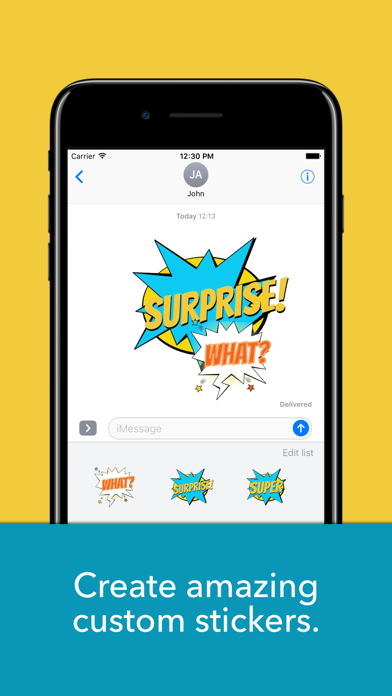
Express your thoughts in a clearer, richer way by creating your own custom stickers. Choose among varied, colorful packs of bubbles and artwork, type and customize your message, and have fun sharing your creations. With this iMessage app you can create amazing stickers by adding several layers of text, using different styles and colors, and zooming or rotating them to achieve the desired effect. NEW fonts, colors and backgrounds are included regularly, so stay tuned! To use the app, open iMessage and select the Speech bubbles app. Tap on the + button to open the edit view. Select a bubble from the list at the bottom (you can search more artwork by tapping on the "More artwork" button and selecting a package), tap on the Add Text button and start customizing your message. You can change the font and color. Once you save your text, you'll be able to rotate, resize or move it over the bubble to achieve the desired effect. You can add as many layers of text as you need. Next tap on Save Sticker and the sticker you've created will be ready for you to share it with your contacts.
What's new · 2.5.0
I've made some general improvements to the app and have included a pack of beautiful speech bubbles with watercolor background. Hope you'll enjoy them!
Details