

Smart TV Remote WiFi IP & Code
Eyermin Colon Sanchez · Utilities
Independent analytics for this App Store listing. AppTracker is not affiliated with Eyermin Colon Sanchez.
Chart standing · US
What changed · US
Listing changes AppTracker has observed for this app in this storefront — new versions, price moves, rating shifts, and store copy.
• Performance improvements and optimizations. • Improved connection reliability for Samsung and LG TVs. Better Wi-Fi detection • Bug fixes for a smoother and more reliable experience. • Improved stability across the app. • Minor UI and usability enhancements. Thank you for using our app! We’re always working to make your experience better.
Screenshots




About
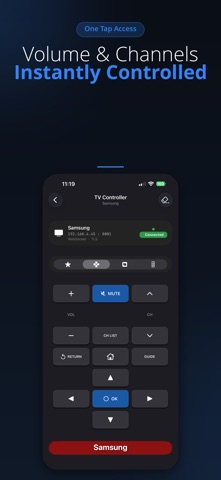
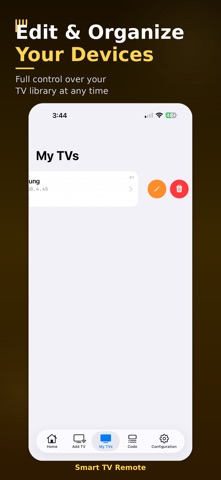
Lost your remote? Your iPhone is the replacement. Smart TV Remote connects to your TV over Wi-Fi and gives you full control — no IR blaster needed, no Bluetooth pairing, no cables. Supported Smart TV brands: - Samsung (Series 4–9, QLED, Frame) - LG (OLED, NanoCell, WebOS) - Sony Bravia - Vizio SmartCast - TCL & Roku TV - Hisense VIDAA - Philips Also supports thousands of cable & satellite providers worldwide: DirecTV, Comcast, Dish, Spectrum, AT&T, Fios, Sky, Movistar, ClaroTV, Rogers, Shaw, and many more. Key Features: - Connect instantly over your home Wi-Fi - Save multiple TVs and switch between them - Built-in TV Guide for your region - Massive IR code database (thousands of models) - Clean, modern interface optimized for iPhone & iPad - Works in the background — switch apps freely How it works: 1. Open the app on the same Wi-Fi network as your TV 2. Select your TV brand and model 3. Start controlling immediately No more hunting for the remote between cushions.
What's new · 2.0.0
• Performance improvements and optimizations. • Improved connection reliability for Samsung and LG TVs. Better Wi-Fi detection • Bug fixes for a smoother and more reliable experience. • Improved stability across the app. • Minor UI and usability enhancements. Thank you for using our app! We’re always working to make your experience better.
Details