

DJI Screen Share - Mavic, Phantom 3/4 Inspire 1/2
Visual Vertigo Software Technologies GmbH · Photo & Video
Independent analytics for this App Store listing. AppTracker is not affiliated with Visual Vertigo Software Technologies GmbH.
Chart standing · US
Ratings breakdown · US
The star breakdown behind this app's rating in this storefront.
In-app purchases · US
What this app sells inside itself, grouped by kind and priced for this storefront.
Screenshots
About
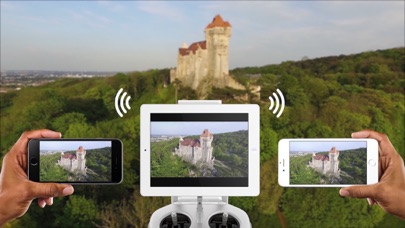
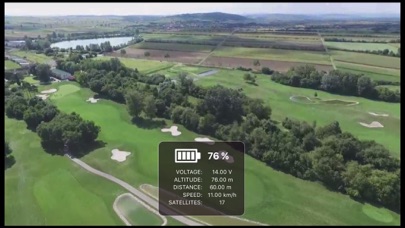
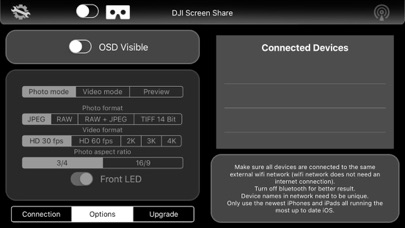
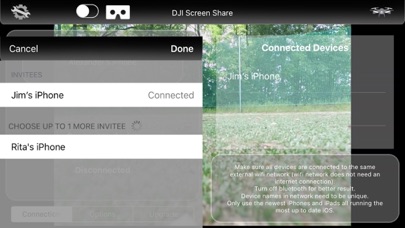
DJI Screen Share app lets you stream your live video feed from your DJI drone to up to 5 Apple mobile devices simultaneously. Key Features: - Full control of DJI camera settings. - OSD information. - VR Mode. Set Up: 1. Simply connect one device to the DJI remote via the USB cable. 2. Make sure all your devices are connected to the same WiFi network. 3. Connect your devices in the app’s settings menu to each other. No Internet connection required, only a WiFi Hotspot (for example a router, laptop or an external mobile hotspot) Compatible with DJI drones: Mavic Pro Spark Phantom 4 Phantom 4 Pro Phantom 3 Advanced Phantom 3 Professional Inspire 1 Inspire 1 Pro Inspire 2 In App Purchases: In the initial purchase you can stream to one device. You can upgrade and add more devices for 4,99 USD per added device.
What's new · 1.2
- Added compatibility for DJI Spark - Updates to DJI SDK 4.2 - Lots of bug fixe- - Added tutorial
Details