

Yam Pad Mini - Drawing Tablet
Yamstu Inc. · Productivity
Independent analytics for this App Store listing. AppTracker is not affiliated with Yamstu Inc.
Chart standing · US
What changed · US
Listing changes AppTracker has observed for this app in this storefront — new versions, price moves, rating shifts, and store copy.
Price & rating history · US
Reconstructed from the listing changes AppTracker has observed in this storefront. A field is charted once it has changed more than once, and each line starts at the value it moved from.
Average rating · ★ 4.31 now · 3 changes on record
Ratings breakdown · US
The star breakdown behind this app's rating in this storefront.
In-app purchases · US
No in-app purchases.
Screenshots
About
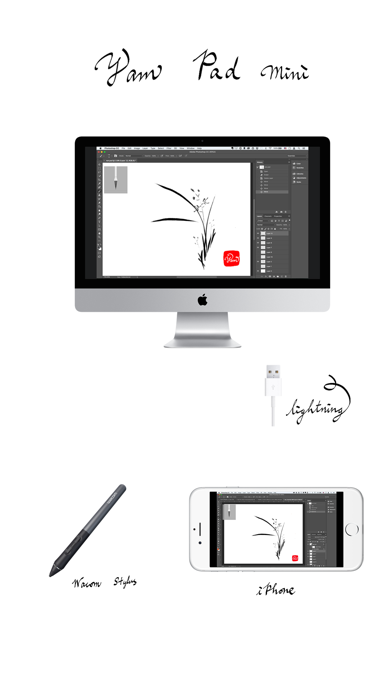
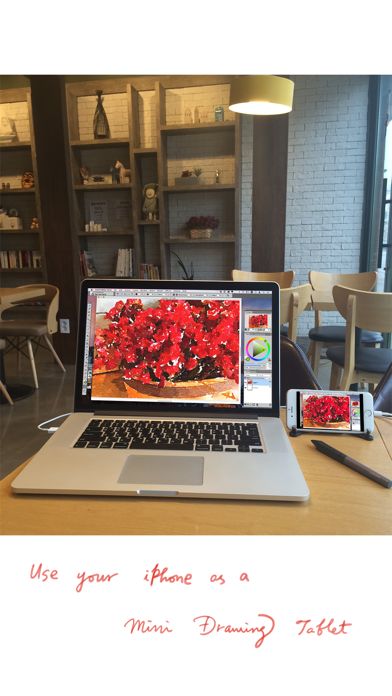
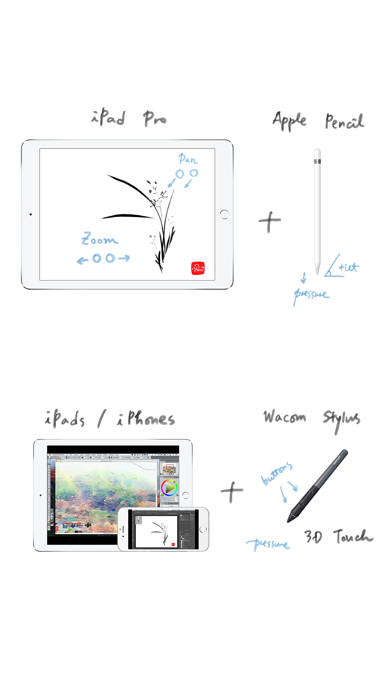
# Mini version of Yam Pad for iPhone # # Requires a Mac for Drawing # iPhone as a mini Drawing Tablet for Mac via USB! Support Wacom stylus and 3D Touch for various Mac apps for drawing. Zoom or pan canvas by finger gestures on your iPhone while mirroring the whole screen. Fast and simple USB connection will let you focus on your creative expression. Key Features: - Wacom stylus & 3D Touch - Touch Gestures: Zoom/Scroll/Undo/Redo - Fast and secure USB connection - Mirror full screen with Retina resolution - Bluetooth keyboard input from iOS device - Touch Bar Simulation (for any Mac with macOS 10.12.2+) Mac Apps compatible: - Photoshop - Affinity Photo - Illustrator - SketchBook - Corel Painter - Lightroom - Toon Boom Harmony - MediBang Paint - Clip Studio Paint - ZBrush - MarginNote 3 - and more... (let us know your favorite) Stylus supported: - Wacom (pressure sensitivity, buttons) System Requirements: - iPhones/iPods with iOS 8.0 or later - Macs with OS X 10.9 or later (with USB port) Download app for Mac from: yamdisplay.com/yampad (free) For any questions or suggestions: help@yamdisplay.com
What's new · 1.3.5
Updated Wacom SDK to support more devices. Bug fixes for Smart Keyboard input. Support more Mac Apps: - ZBrush - MarginNote 3 * Please update Yam Pad app for Mac to the latest version.
Details