

CONVERT UNITS
Yan Liong Tan · Productivity
Independent analytics for this App Store listing. AppTracker is not affiliated with Yan Liong Tan.
Chart standing · US
What changed · US
Listing changes AppTracker has observed for this app in this storefront — new versions, price moves, rating shifts, and store copy.
Fixed the App Store header layout Make it yours with new color themes! Choose a curated look or create and save your own palette in Settings > Themes. See your changes instantly with a live preview. Applying and saving themes is included with monthly or lifetime Premium access.
Ratings breakdown · US
The star breakdown behind this app's rating in this storefront.
In-app purchases · US
What this app sells inside itself, grouped by kind and priced for this storefront.
Screenshots



About
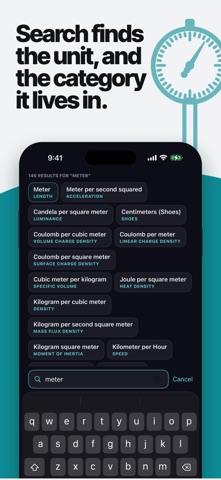
160 currencies · 126 cryptocurrencies · 685 units across 72 categories CONVERT ANYWHERE, EVEN OFFLINE Convert units without an internet connection. Currency and crypto conversions use your saved rates offline; an internet connection is needed to refresh rates. • No Full Screen Ads • Find units quickly with search and an alphabetical index • Control precision with decimal places and significant figures • Choose your starting category and hide categories you don’t use • Personalize your colors with curated or custom themes, available with Premium Designed for iPhone and iPad, with Split View support Dark and light appearance support CONVERSION CATEGORIES Everyday conversions Length, weight, temperature, area, volume, speed, time, fuel economy, pace, data, data transfer rate, angle, shoe sizes, ring sizes, amount, image resolution, typography and blood sugar Engineering and mechanics Pressure, torque, force, energy, power, acceleration, angular acceleration, moment of inertia, density, specific volume, flow, mass flux density, surface tension, viscosity, kinematic viscosity and permeability Electricity and magnetism Current, voltage, resistance, charge, frequency, capacitance, inductance, conductance, electric field strength, electric resistivity, electric conductivity, magnetic flux, magnetic field strength, magnetic flux density, magnetomotive force, linear charge density, surface charge density, volume charge density, linear current density and surface current density Heat and temperature Temperature interval, thermal conductivity, specific heat capacity, heat density, heat flux density, heat transfer coefficient and thermal expansion Chemistry Molar concentration, molar mass and molar flow rate Light, sound and radiation Luminance, illumination, luminous intensity, sound, radiation, radioactivity and exposure Terms of Use: https://www.apple.com/legal/internet-services/itunes/dev/stdeula/ Privacy Policy: https://developer-yl.github.io/convert-units/privacy.html
What's new · 1.4.2
Fixed the App Store header layout Make it yours with new color themes! Choose a curated look or create and save your own palette in Settings > Themes. See your changes instantly with a live preview. Applying and saving themes is included with monthly or lifetime Premium access.
Details