

Takeda Meetings
Takeda Pharmaceuticals International AG · Business
Independent analytics for this App Store listing. AppTracker is not affiliated with Takeda Pharmaceuticals International AG.
Chart standing · US
What changed · US
Listing changes AppTracker has observed for this app in this storefront — new versions, price moves, rating shifts, and store copy.
- Representatives can now review the fields automatically mapped from a scanned badge and make corrections when needed before completing the lead capture. This helps ensure the information captured through optical scanning is accurate. - For form elements that are radio button, check box, dropdown, or consent types, Backstage users can now add a rule (visibility condition) that will determine whether or not the field will be displayed or not to the rep for them to fill-in. - Links to app content are now fully supported in text fields added to lead capture forms.
Ratings breakdown · US
The star breakdown behind this app's rating in this storefront.
In-app purchases · US
No in-app purchases.
Screenshots




About
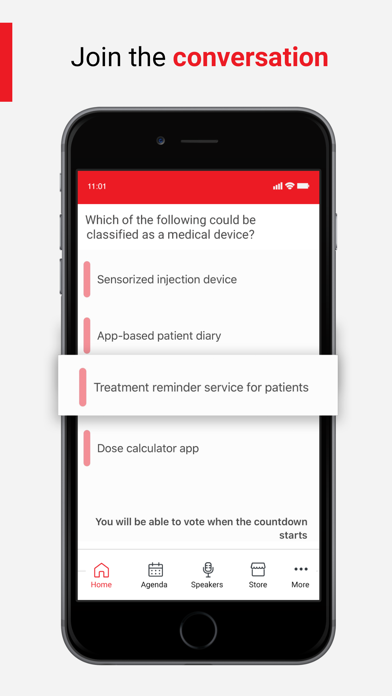
The Takeda Meetings App is the mobile application supporting Takeda Meetings and Events. The app is a container for Takeda meetings and events, providing up-to date information, cutting-edge interactivity and engagement to all participants. IMPORTANT – To use the application you must be registered HCP at a Takeda meeting or event and in the possession of a valid activation code. This application is intended for participants outside of the US. The Takeda Meetings app can access data from the Health app, if permission is granted, to improve your event experience Added new Activity Challenge in Steps Count" Item Code: INTSP/C-ANPROM/MTP/16/0001 Date of Preparation: May 2016
What's new · 3.7.0
- Representatives can now review the fields automatically mapped from a scanned badge and make corrections when needed before completing the lead capture. This helps ensure the information captured through optical scanning is accurate. - For form elements that are radio button, check box, dropdown, or consent types, Backstage users can now add a rule (visibility condition) that will determine whether or not the field will be displayed or not to the rep for them to fill-in. - Links to app content are now fully supported in text fields added to lead capture forms.
Details