

Doc OCR - Book PDF Scanner
IFUNPLAY CO., LTD. · Business
Independent analytics for this App Store listing. AppTracker is not affiliated with IFUNPLAY CO., LTD.
Chart standing · US
What changed · US
Listing changes AppTracker has observed for this app in this storefront — new versions, price moves, rating shifts, and store copy.
This update includes stability improvements and bug fixes.
Ratings breakdown · US
The star breakdown behind this app's rating in this storefront.
In-app purchases · US
What this app sells inside itself, grouped by kind and priced for this storefront.
Screenshots





About
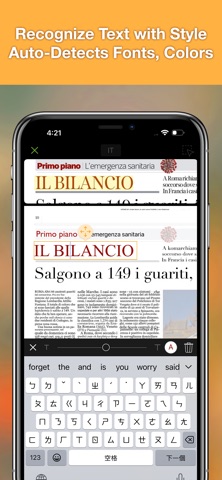
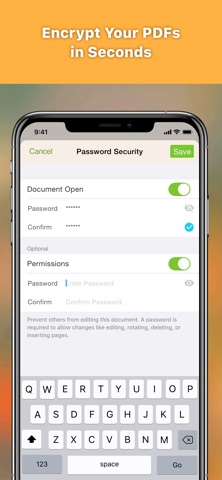
DocOCR – Smart PDF Scanner & OCR Tool for Education Turn your iPhone or iPad into a powerful document scanner and text recognizer with DocOCR. Whether you’re a student, teacher, or school administrator, DocOCR helps you scan, recognize, organize, and share documents easily and securely — all on your device. No internet required for OCR or image processing, ensuring complete privacy and data protection. - OCR & Document Scanning Made Simple Scan and recognize text from: • Printed documents • Books & whiteboards • Receipts & business cards • Posters, coupons, and more Save scans as searchable PDFs and annotate or sign them directly within the app. Photo Collage Mode Combine multiple pages (e.g., front and back of ID cards) onto a single A4/Letter page — perfect for printing or sharing. - Smart Image Processing DocOCR automatically: • Detects document edges • Corrects perspective and curved surfaces • Removes shadows and enhances clarity Ideal for low-light conditions or quick classroom captures. - Powerful Document Management Organize your scans with ease: • Create, rename, merge, split, or move files and folders • Drag and drop to group documents • Full-text search on OCR results (Bronze Plan) • iCloud Drive sync for access across devices (Bronze Plan) Import, Export & Share • Support PDF encryption and decryption • Email as PDF or JPEG • Export OCR text as TXT or DOCX • Fax to 100+ countries (via in-app purchase) • Print via AirPrint • Upload/download with: iCloud Drive, Dropbox, Google Drive, OneDrive, Box, SMB, WebDAV (Bronze Plan) • “Open In” support for apps like iBooks and Adobe Reader File Import • Import PDFs or images via “Open In” from other apps • Import files from your favorite cloud services Fax Anywhere • Send/receive faxes directly from the app • Get notified when fax is sent or received • Subscribe to a personal fax number for inbound faxes • Block incoming faxes when not needed - Bronze Plan Subscription Unlock advanced features like cloud sync, full-text search, and cloud storage support. • Billed monthly or annually • Auto-renews unless canceled 24 hours before the end of the current period • Manage subscriptions in your App Store account • Unused trial periods are forfeited upon subscription Terms of Service: https://ifunplay.com/legal.html
What's new · 6.0.6
This update includes stability improvements and bug fixes.
Details