

Count 'm down
Twitched · Productivity
Independent analytics for this App Store listing. AppTracker is not affiliated with Twitched.
Chart standing · US
What changed · US
Listing changes AppTracker has observed for this app in this storefront — new versions, price moves, rating shifts, and store copy.
This update is all about your flights. * Follow your flight live on a map: position, altitude, speed and distance to landing (Pro). * Adding a flight now works the same everywhere: pick your route and day, then tap your flight. Direct flights with a stop, like Amsterdam–Bali, too. * New Book tab: search flights by flight number or route. * Followed flights appear as a Live Activity, from 3 hours before departure until landing – also in the Smart Stack on your Apple Watch. * Flight status now shows departed and landed, arrival delays and the baggage belt. * New styles for sharing your countdown: departure board, polaroid, ticket with QR code, postcard and more. * Made for iPhone Duo: unfolded, flights, eSIMs, trip preparation and new events use the whole screen. * Faster, smoother and various bug fixes.
Screenshots



About
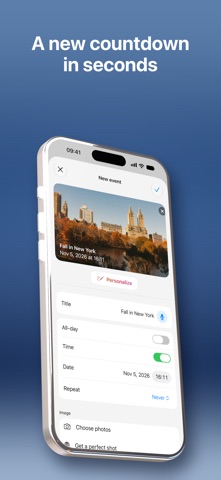
Your travel buddy for every countdown. Count 'm down turns “how many days until…” into part of the fun. Whether it's a big trip, a wedding, moving day, or getting home for the holidays — set the moment, and we'll help you get there. Start with 3 free events and use the app fully from day one. Add a personal photo or color, share your countdowns with others, and keep everything in sync across your devices. • Generate a complete trip in seconds: a personalized checklist, weather forecast, and day-by-day timeline, all from one tap. • Scan flight tickets, hotel bookings, and rental car confirmations with Visual Intelligence — saved to your event automatically. • Every event gets its own Timeline, so you always know what's next. • Live Activities keep your next countdown on your Lock Screen and Dynamic Island. • Add widgets to your Home Screen to keep every countdown in view. Everything you need to make your countdowns more exciting: clean, stylish, and completely yours. Unlimited Count 'm down • Choose a monthly or yearly plan (auto-renewable) • New subscribers get a reduced rate for the first year on the yearly plan • Prices are shown in the app before you confirm and may vary by region With Unlimited Count 'm down, you get access to: • Unlimited event creation • AI-generated trip planning — a checklist, weather forecast, and timeline in one tap • Flight status tracking • Hotel and rental car details, saved automatically • Weather information for your events • The ability to edit existing events • Access to your events across multiple devices Info: • Payment will be charged to your Apple ID account upon confirmation of purchase. • The subscription automatically renews unless canceled at least 24 hours before the end of the current period. • You can manage and cancel your subscription in your App Store account settings after purchase. Terms of Use (EULA): https://www.apple.com/legal/internet-services/itunes/dev/stdeula/
What's new · 7.2.0
This update is all about your flights. * Follow your flight live on a map: position, altitude, speed and distance to landing (Pro). * Adding a flight now works the same everywhere: pick your route and day, then tap your flight. Direct flights with a stop, like Amsterdam–Bali, too. * New Book tab: search flights by flight number or route. * Followed flights appear as a Live Activity, from 3 hours before departure until landing – also in the Smart Stack on your Apple Watch. * Flight status now shows departed and landed, arrival delays and the baggage belt. * New styles for sharing your countdown: departure board, polaroid, ticket with QR code, postcard and more. * Made for iPhone Duo: unfolded, flights, eSIMs, trip preparation and new events use the whole screen. * Faster, smoother and various bug fixes.
Details