

MojiMov - Text on the video.
REAFO CO., LTD. · Photo & Video
Independent analytics for this App Store listing. AppTracker is not affiliated with REAFO CO., LTD.
Chart standing · US
What changed · US
Listing changes AppTracker has observed for this app in this storefront — new versions, price moves, rating shifts, and store copy.
Thank you for using our app. * You can now import and use font files (.ttf/.otf). * Minor improvements and bug fixes.
In-app purchases · US
No in-app purchases.
Screenshots
About
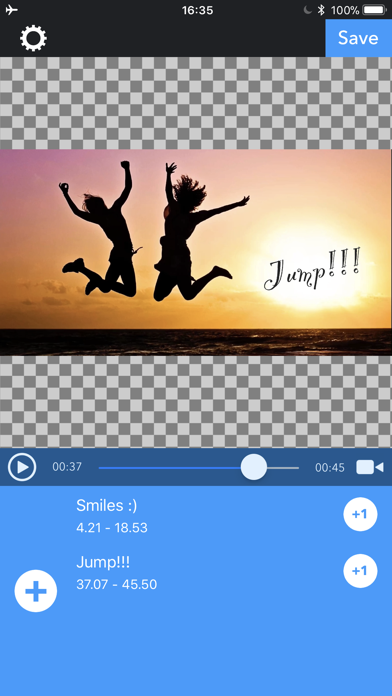
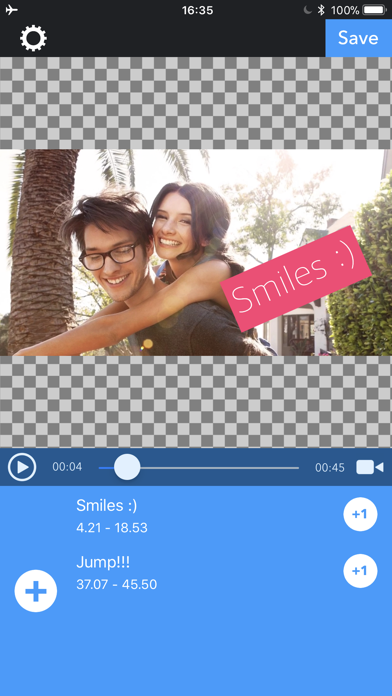
MojiMov let you to put text/subtitle on your video. -- How to use. 1. Select your video. 2. Slide seek bar to the time you want to put text. 3. Press "Text" button. 4. Input text and press "OK". -- How to edit text. - Drag text to place where you want to put. - Pinch text to change text size. - Tap text to show edit menus. -- Text editing menu - Tap start / end time to change. - Tap start / end animation to change another one.
What's new · 4.4
Thank you for using our app. * You can now import and use font files (.ttf/.otf). * Minor improvements and bug fixes.
Details