

Drawboard PDF Annotate, Markup
Drawboard Pty Ltd · Productivity
Independent analytics for this App Store listing. AppTracker is not affiliated with Drawboard Pty Ltd.
Chart standing · US
What changed · US
Listing changes AppTracker has observed for this app in this storefront — new versions, price moves, rating shifts, and store copy.
New features: • Callouts are now much easier to move; just drag and it moves the way you expect Bug fixes: • Fixes an issue where some measurement labels were missing in exported PDFs • Improves memory use and stability when working with large and image-heavy documents
Ratings breakdown · US
The star breakdown behind this app's rating in this storefront.
In-app purchases · US
What this app sells inside itself, grouped by kind and priced for this storefront.
Screenshots

About
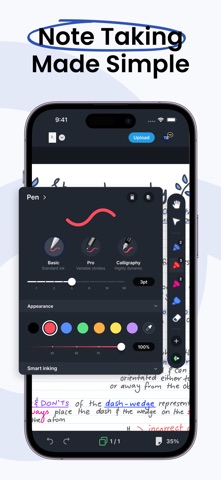
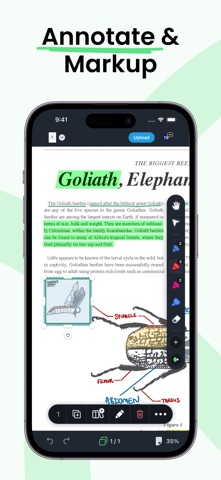
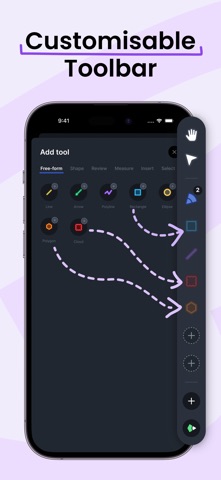
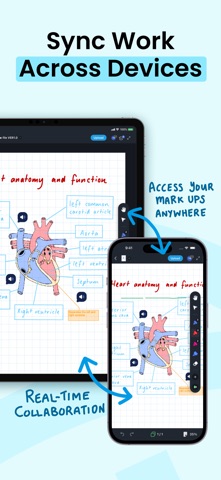
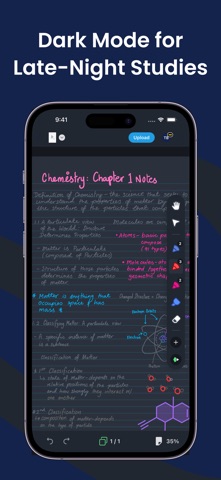
Powerful PDF tools at your fingertips. The latest PDF technology and software for a better experience. With an intuitive UI designed for delight – there’s a better way to PDF! Do your best work with Drawboard. - Dynamic PDF tools that feel good to use - Multi-platform access and storage. Where you are, your work is. - Paperless. A way of working for a sustainable future TOOLS FOR EVERY JOB Fast, responsive, and accurate markup tools. Draw with best-in-class ink for flawless Apple Pencil hand-feel and finally replace pen and paper. CROSS-PLATFORM ACCESS ON ANY DEVICE Upload your annotated PDFs to the cloud and mark up with others in real time with instant sync. Go Pro in-app for additional storage capacity and advanced features. WORK YOUR WAY Customize your workspace by docking your favorite tools and build a toolbar that works for you! MORE - Text review markup - freehand highlighter, text highlighter, underline, strikeout, squiggly on PDF. - Insert lines and shapes - cloud tool, rectangle, ellipse, line, arrow, polygon and polyline on PDF. - Add text with a range of fonts and text styling options - Insert images and camera photos onto PDFs. - Convert JPG and PNG image files to PDF. - Write, annotate, ink and draw on PDFs. - Customize and edit annotation colors, stroke widths, and opacities. - Create new blank PDF documents of different size, color, orientation and page count. - Insert, rotate and delete PDF pages. - Open, read, mark up and save large and complex PDF documents. GET MORE WITH PRO - Redact text and sections of your PDF documents - Measure elements on your page with length and area measurement tools and smart page calibration - Add callouts, hyperlinks and audio notes to your documents - On-page ruler - measure objects on your page with the ease of using a tape measure
What's new · 5.10.0
New features: • Callouts are now much easier to move; just drag and it moves the way you expect Bug fixes: • Fixes an issue where some measurement labels were missing in exported PDFs • Improves memory use and stability when working with large and image-heavy documents
Details