

PDF Scanner - Easy to Use!
Netviking AB · Business
Independent analytics for this App Store listing. AppTracker is not affiliated with Netviking AB.
Chart standing · US
What changed · US
Listing changes AppTracker has observed for this app in this storefront — new versions, price moves, rating shifts, and store copy.
Ratings breakdown · US
The star breakdown behind this app's rating in this storefront.
In-app purchases · US
What this app sells inside itself, grouped by kind and priced for this storefront.
Screenshots


About
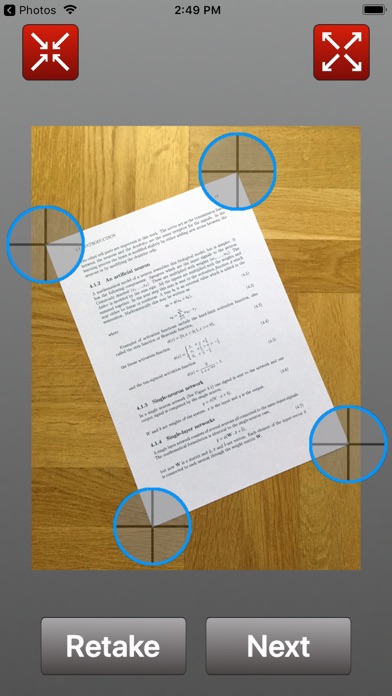
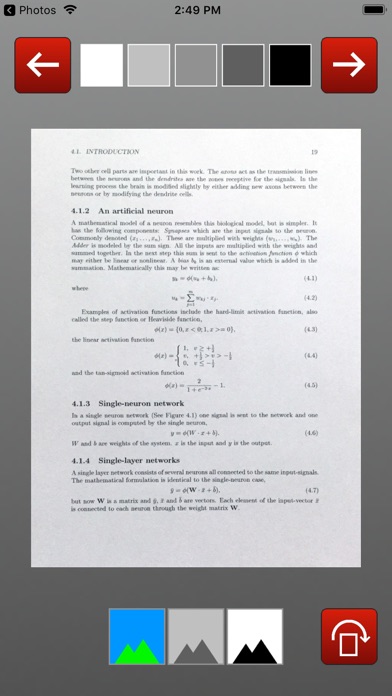
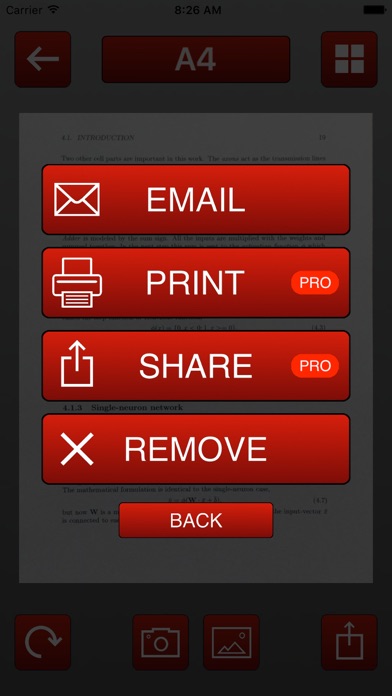
This app will turn your iPhone or iPad into a portable document scanner. Quickly scan your documents on the go and export them as multi-page PDF files. Upload your scans to a cloud service or print them using AirPrint. This application incorporates special algorithms which correct perspective and make your scans as readable as possible. With this app you can scan books, receipts, any kind of documents, paper notes, whiteboards, business cards and schedules. FEATURES - Automatic detection of document edges and perspective - Ultra-fast processing - Creates PDF documents with multiple pages - Emails scans as PDF files - Exports documents to cloud service like iCloud, Dropbox or Google Drive. - Prints over AirPrint - Scans in color, grayscale, or black & white - Easily crop and correct the perspective: You don't need to take a perfect straight shot. - Thumbnail view - Add pages anytime and delete pages - Instant one-tap brightness and color controls - Set page sizes for PDF ( Letter, Legal, A4 and more ) - Documents are processed on the phone, not sent to a third-party server - Universal - a single app for both iPhone and iPad. WHAT PEOPLE USE THIS APP FOR - Quickly scan any document anywhere - Get rid of all your paper documents by archiving them to a cloud service - At the university, take a picture of the whiteboard - Save handwritten memos, or book pages for future reference TIPS ON SCANNING - Make sure your document is flat and well lit. - Include some margin around your document while shooting. - Use flash in low light conditions, but avoid glare with glossy documents. Download this PDF Scanner today!
What's new · 1.2
● Updated for iOS 13. Download this update today!
Details