

Camera - Take photos in 3steps
mitsunori oishi · Photo & Video
Independent analytics for this App Store listing. AppTracker is not affiliated with mitsunori oishi.
Chart standing · US
Screenshots



About
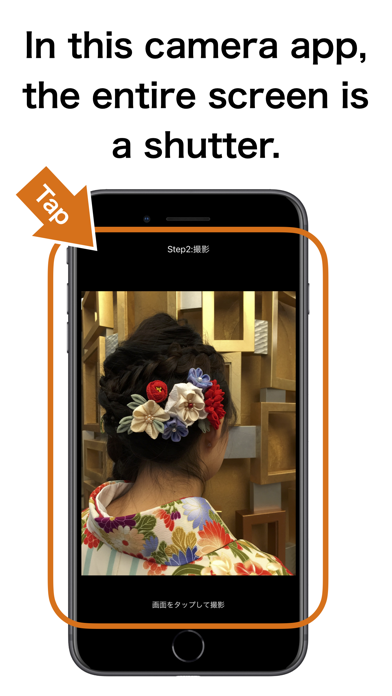
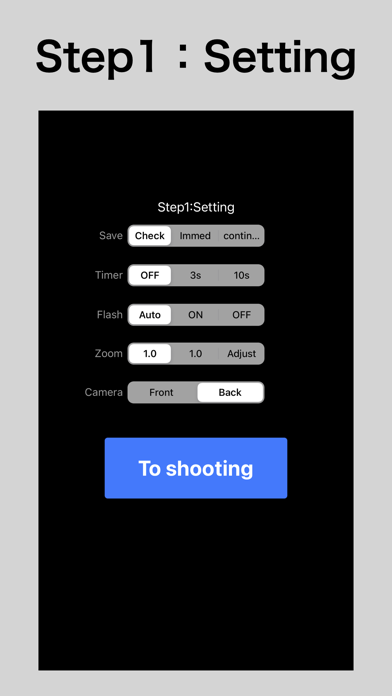
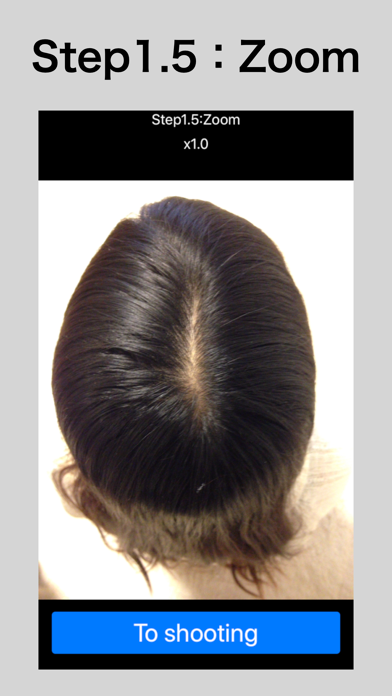
This camera app is the full screen is a shutter. ・If you want to shoot your back of the head or forehead or eyelashes, etc., when you want to press the shutter without looking at the screen. ・If you have a souvenir or a bag and want to shoot it only with one hand. ・If you want to shoot raise your hand at the crowd. Shooting in three steps.Because the entire screen is a shutter. 1: Set Camera selection. Set the flash and timer. When zooming, select “Adjust”. Set the saving method to the photo. ‘Check’ and to save from. ‘immed’iately save. ‘Star’ continuous shooting. ※The end of the shooting, please press the Home button. 1.5: Zoom Set the zoom. 2: Shooting Even if you press anywhere on the screen is a shutter. 3: save Save in the photo. you can send Twitter, facebook, such as e-mail. ※: Shutter sound will play always. ※: Location information is not recorded. ※: Ad will be displayed when the setting screen is displayed.
What's new · 1.3.1
Step1: Change settings screen. Fixed bug with GDPR.
Details