
Chart standing · US
Ratings breakdown · US
The star breakdown behind this app's rating in this storefront.
Screenshots

About
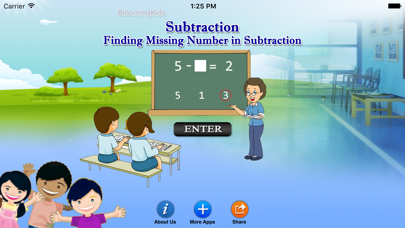
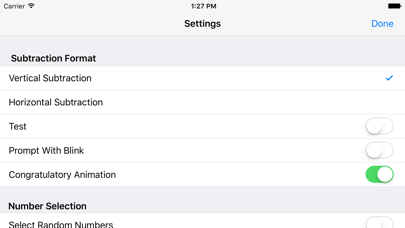
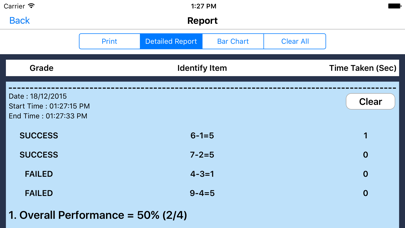
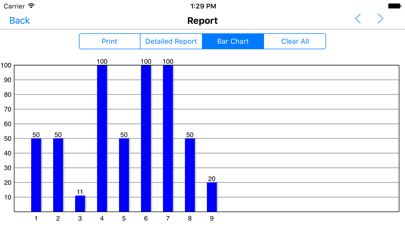
In this program there is a subtraction problem at the top of the screen with the second number blank. The program voice says (for instance) "Seven minus what makes three? Click the correct answer." There are four numbers at the bottom of the screen, and the student should click the correct choice from among them. If the student clicks the correct number, the voice says "Yes, seven minus four equals three." Settings Vertical Subtraction If this is selected then the number statement at the top of the screen will be arranged vertically. Horizontal Subtraction If this is selected then the number statement at the top of the screen will be arranged horizontally. Prompt(Blink) This is checked by default. If the student fails to find the correct answer within ten seconds, the program guides him/her to the correct choice by making the correct choice blink. Select Random Numbers If this is selected, then the program will choose the numbers to be used in the problems. Congratulatory Animation If this is selected, then any and all of the numbers in this box will be used. To deselect this choice, click it again and selection will be ended. Test Here, the student can test him/herself. Report This displays results of the “Test”. The report (Holds Only 20 Records). Grade On/Off: If it is on, app will monitor correct and wrong responses by the student Correct Answer: When a student response to a question with correct answer Wrong Answer: When a student response to a question with wrong answer Number of Total Attempt: Number of times a student tried to answer questions in the app. Bar Chart: Represents the student's performance graphically. Detail Report: Test results including the grade. object identified, distracter and time taken to finish the test. Print: This will print the grade or data on the screen. Clear Data: This button erase all the data that was stored and free up the memory that data was occupying.
What's new · 1.1
The current app version updated with the new age rating.
Details