

MagicResize
Yoshinobu Sonoda · Photo & Video
Independent analytics for this App Store listing. AppTracker is not affiliated with Yoshinobu Sonoda.
Chart standing · US
What changed · US
Listing changes AppTracker has observed for this app in this storefront — new versions, price moves, rating shifts, and store copy.
Updated internal components to improve stability and performance. Thank you for using MagicResize. Added support for iOS27.
Ratings breakdown · US
The star breakdown behind this app's rating in this storefront.
In-app purchases · US
What this app sells inside itself, grouped by kind and priced for this storefront.
Screenshots
About
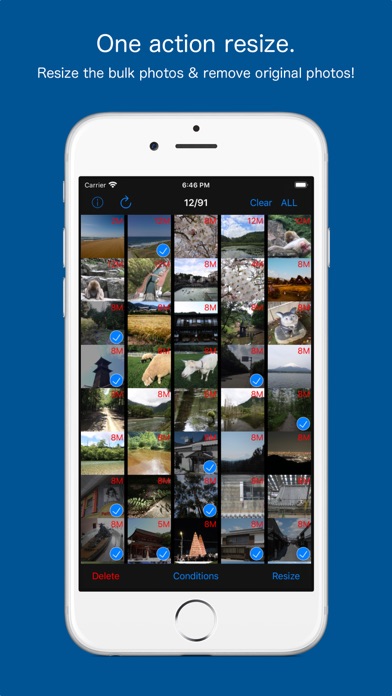
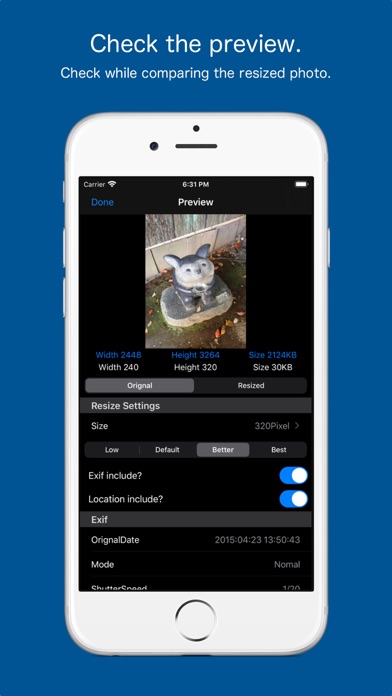
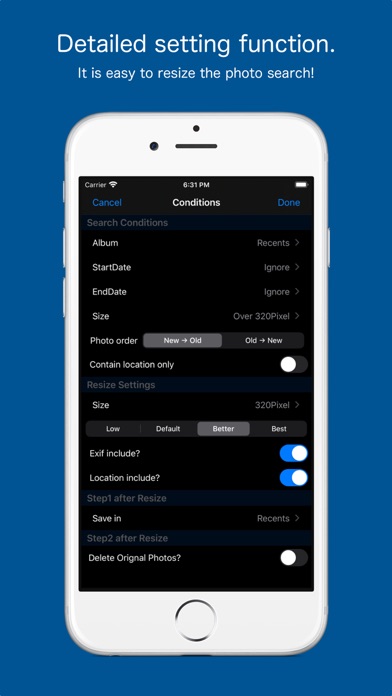
One-action operation, batch resize multiple photos! Also it is to be able to remove bulk original photo at the same time! Savings capacity of the device is also easy. The camera app, you can use your favorite apps. After you have taken with your favorite camera app, collectively, you can batch resize. Press and hold a photo in Photo List preview screen is displayed, you can check the photo after resizing. In search feature, and photos taken today, you can find easily, such as photos of more than 800 million pixels. You can leave the Exif in the resized photo, and you can delete. Delete location information is also possible. The deleted photos, has been moved to the "Recently Deleted" of the "Photos app". You can restore from a photo app be deleted by mistake. If you want to remove completely, please delete in the Photos app.
What's new · 3.2.2
Updated internal components to improve stability and performance. Thank you for using MagicResize. Added support for iOS27.
Details