

GeoShred
Wizdom Music LLC · Music
Independent analytics for this App Store listing. AppTracker is not affiliated with Wizdom Music LLC.
Chart standing · US
What changed · US
Listing changes AppTracker has observed for this app in this storefront — new versions, price moves, rating shifts, and store copy.
- GeoSWAM 3/4. Ten new GeoSWAM Instruments - Try Before You Buy - New Setlist Navigation Wheel - Setlists may now have backing tracks.
Ratings breakdown · US
The star breakdown behind this app's rating in this storefront.
In-app purchases · US
What this app sells inside itself, grouped by kind and priced for this storefront.
Screenshots

Keywords this app targets
Search terms AppTracker associates with this app — estimates, not search volume. ❝ = in the app's title; a highlighted number is its current position for that term.
Similar apps
Competitors and close alternatives, as estimated by AppTracker.
 SWAM Cello Section
Audio Modeling Srl
1 shared topic
SWAM Cello Section
Audio Modeling Srl
1 shared topic
 ThumbJam
Sonosaurus LLC
2 shared topics
ThumbJam
Sonosaurus LLC
2 shared topics
 SWAM Violin
Audio Modeling Srl
1 shared topic
SWAM Violin
Audio Modeling Srl
1 shared topic
 SWAM Cello
Audio Modeling Srl
1 shared topic
SWAM Cello
Audio Modeling Srl
1 shared topic
 SWAM Viola
Audio Modeling Srl
1 shared topic
SWAM Viola
Audio Modeling Srl
1 shared topic
 SWAM Clarinet
Audio Modeling Srl
1 shared topic
SWAM Clarinet
Audio Modeling Srl
1 shared topic
 irio pro
Mads Rohde
1 shared topic
irio pro
Mads Rohde
1 shared topic
 SWAM Flute
Audio Modeling Srl
SWAM Flute
Audio Modeling Srl
About
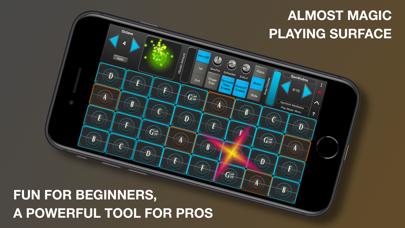
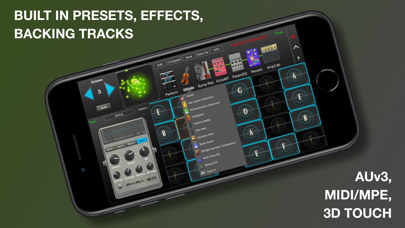
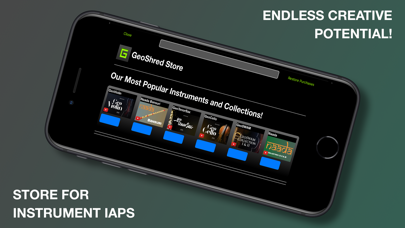
GeoShred Pro Version 7 With in-app purchases for GeoSWAM and Naada instruments on devices running iOS 13 or later. Imagine a new kind of musical instrument, an instrument that lets performers fluidly express multiple independent voices. An instrument with continuous pitch control that also helps players precisely land on the right note in any temperament. GeoShred Pro is an award-winning, deeply expressive musical instrument for multi-touch devices. Its innovative performance surface features “almost magic” pitch-rounding algorithms and is coupled to physically modeled instruments and effects. GeoShred Pro also supports AUv3, MIDI In/Out, MPE, and 3D Touch. It combines Jordan Rudess’ groundbreaking performance concepts with powerful physically modeled guitar and effects technology based on the research of Dr. Julius O. Smith III of Stanford/CCRMA. GeoShred’s expressive control surface can also be used to play external synthesizers. 300,000 artists in over 120 countries perform with GeoShred, with a strong global community that includes many musicians in India. Awards include: • 2nd Place Winner, 2022/2025 MIDI Innovation Award for Software • Gold Medal Winner, 2019 Denny Award • Winner, 2019 Guthman New Musical Instrument Award • Winner, 2017 Electronic Musician Editor’s Choice Award GeoShred Pro Version 7 Features • Send/Connect support so GeoShred for iOS/iPadOS can control GeoShred Studio for macOS • A fluid, expressive playing surface with finger vibrato, slide, and intelligent pitch rounding • Built-in physically modeled guitar • Physically modeled effects including Distortion, Wah, EQ, VCF, Flanger, Phaser, Chorus, Tremolo, Reverb, Sympathetic Resonator, Echo Looper, Multi-Tap Echo, Amp and Cabinet Modeling, Modeled Feedback for Guitar, and VCF effects • In-app purchases for 22 Naada instruments: Bansuri, Bass, Bass Clarinet, Carnatic Violin, Cello, Dizi, Duduk, Erhu, Gaohu, Guan, Nadaswaram, Pan Flute, Pipa, Rudra Veena, Sarangi, Saraswati Veena, Sarod, Shehnai, Sitar, Suona, Viola, and Zhonghu • In-app purchases for 11 GeoSWAM instruments: GeoViolin, GeoFlute, GeoTenorSax, GeoCello, GeoClarinet, GeoOboe, GeoTrumpet, GeoBassTrombone, GeoBassFlute, GeoViola, and GeoPizzBass • AUv3 plug-in support with parameter automation • iCloud preset synchronization • MIDI/MPE In/Out support • MIDI configuration presets • Customizable control surface mapping to physical MIDI controls • Diatonic keyboard mode, where every key is in the scale • Support for world scales and temperaments, including Indian ragas, Arabic scales, and Balinese scales • 3D Touch support on compatible iPhones • Backing tracks • Built-in arpeggiator • Easy preset sharing via email or iCloud The GeoSWAM and Naada instruments can be performed from the GeoShred keyboard, MPE controllers, conventional MIDI controllers, and wind controllers. Praise for the GeoShred Family of Apps “GeoShred is brilliant—it’s a real instrument.” — Eddie Jobson “A fantastic new invention which is going to revolutionize the way music is played, expressed and learned! ‘GeoShred’ is one of the foremost best musical inventions I’ve had the pleasure to experience in recent years. Definitely 5 stars out of 5! GIGANTASTIVISSIMO…..R…A…Z!!!!!” — Patrick Moraz “That’s just nuts. You’re the best guitarist without a guitar of all time.” — Joe Satriani Our Commitment We are dedicated to providing the highest level of musical instrument experience for our customers worldwide. If you enjoy GeoShred, we would greatly appreciate your positive review on the App Store. If you have any questions, we would love to hear from you at: support@moforte.com Minimum Requirements iOS 13 or later is required for AUv3, iCloud, and GeoSWAM and Naada instruments. * Note: Due to App Store limitations, previously purchased individual instrument in-app purchases cannot be applied toward the purchase of collection in-app purchases.
What's new · 7001.568
- GeoSWAM 3/4. Ten new GeoSWAM Instruments - Try Before You Buy - New Setlist Navigation Wheel - Setlists may now have backing tracks.
Details