

ICD 10 Coding Guide – Unbound
Unbound Medicine, Inc. · Medical
Independent analytics for this App Store listing. AppTracker is not affiliated with Unbound Medicine, Inc.
Chart standing · US
What changed · US
Listing changes AppTracker has observed for this app in this storefront — new versions, price moves, rating shifts, and store copy.
This update ensures full compatibility with the latest iOS 27 release, delivering a smoother, more reliable experience with improved performance and stability. We're always here to help—if you have any questions or feedback, please contact Unbound Medicine Support at support@unboundmedicine.com.
Price & rating history · US
Reconstructed from the listing changes AppTracker has observed in this storefront. A field is charted once it has changed more than once, and each line starts at the value it moved from.
Average rating · ★ 4.45 now · 2 changes on record
Ratings breakdown · US
The star breakdown behind this app's rating in this storefront.
In-app purchases · US
What this app sells inside itself, grouped by kind and priced for this storefront.
Screenshots



About
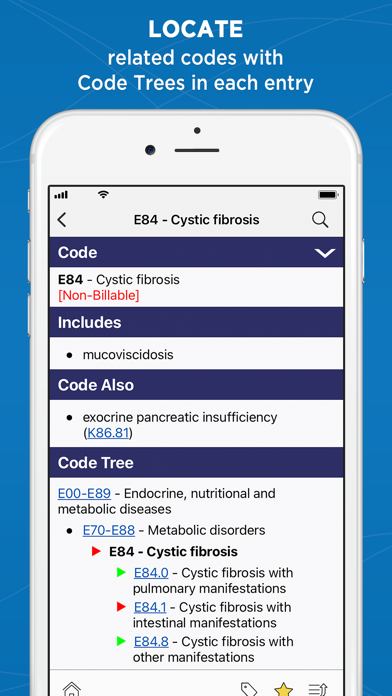
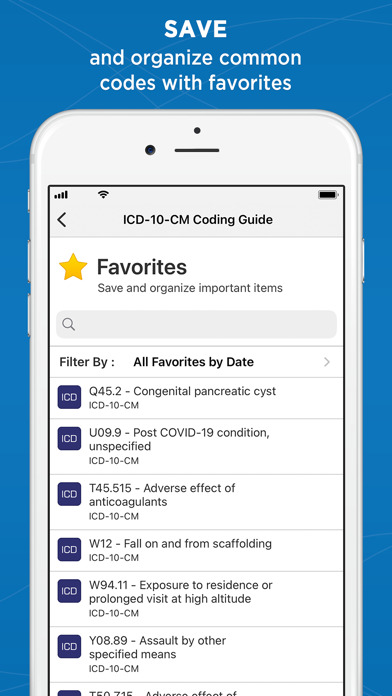
** Fast & accurate lookup of the latest ICD-10 Codes ** ICD-10 CODING GUIDE is a powerful mobile app developed by Unbound Medicine, an award-winning health care information provider with more than 5 million users worldwide. Featuring the latest ICD-10-CM data from the Centers for Medicare and Medicaid Services (CMS), this premium app helps you quickly identify the most appropriate code on your smartphone or tablet — with rapid search by code, disease, injury, drug, or keyword. No internet access is required after initial content download. FEATURES • Access to all ICD-10-CM codes • Code and keyword search for fast discovery • Color-keyed Code Trees for accurate code assignment • Make notes and highlights within any entry • 'Favorites' for bookmarking commonly used codes • Companion website for desktop convenience FREE TRIAL: What To Expect • First-time users are offered a Free Trial of Unbound's complete ICD-10 Coding Guide • After the Free Trial period ends, your iTunes account will be charged $9.99 for a one-year subscription unless you have turned off auto-renew at least 24 hours before the free trial ends. • To manage your subscriptions, open Apple's "Settings" app, tap your Apple ID at the top of the screen, tap Subscriptions, then tap the subscription you wish to manage. • NOTE: if you choose not to purchase a subscription, content will no longer be viewable after the free-trial period ends. Subscription Renewals • Your subscription will automatically renew annually and your iTunes account will be charged $9.99 unless auto-renew is turned off 24 hours prior to the end of the one-year period. • If you choose not to renew, you can continue to use the product but will not receive content updates. • To manage your subscriptions, open Apple's "Settings" app, tap your Apple ID at the top of the screen, tap Subscriptions, then tap the subscription you wish to manage. Unbound Privacy Policy: https://www.unboundmedicine.com/privacy Unbound Medicine Terms of Use: https://www.unboundmedicine.com/end_user_license_agreement
What's new · 1.14
This update ensures full compatibility with the latest iOS 27 release, delivering a smoother, more reliable experience with improved performance and stability. We're always here to help—if you have any questions or feedback, please contact Unbound Medicine Support at support@unboundmedicine.com.
Details