

Player Gear - Speed Changer
REAFO CO., LTD. · Photo & Video
Independent analytics for this App Store listing. AppTracker is not affiliated with REAFO CO., LTD.
Chart standing · US
What changed · US
Listing changes AppTracker has observed for this app in this storefront — new versions, price moves, rating shifts, and store copy.
Thank you for using our app! - The last used playback speed is now restored when you reopen the app. - Made other minor improvements and bug fixes.
Price & rating history · US
Reconstructed from the listing changes AppTracker has observed in this storefront. A field is charted once it has changed more than once, and each line starts at the value it moved from.
Average rating · ★ 4.59 now · 2 changes on record
Ratings breakdown · US
The star breakdown behind this app's rating in this storefront.
In-app purchases · US
What this app sells inside itself, grouped by kind and priced for this storefront.
Screenshots


About
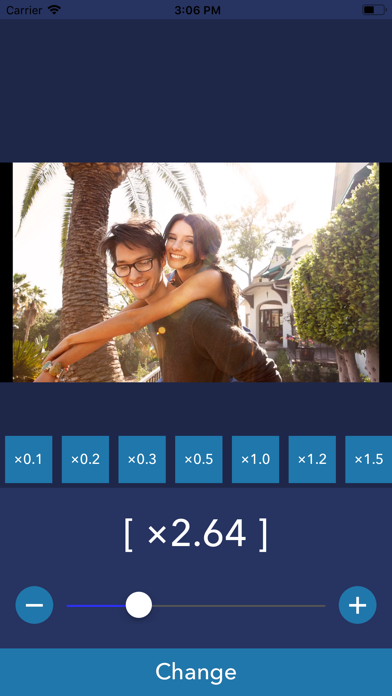
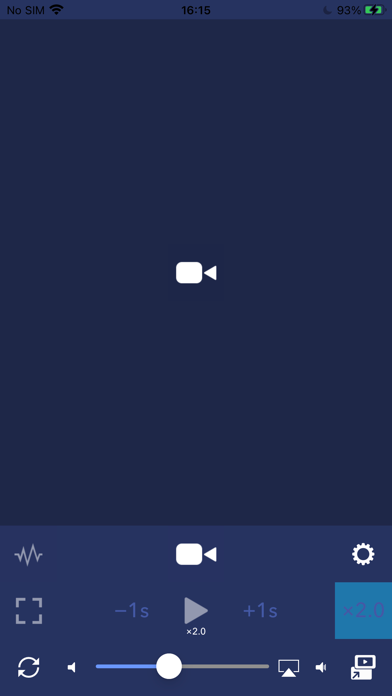
PlayerGear is the way to change playback speed to play Video/Music. PlayerGear lets you make your videos/music/podcasts fast or slow. - How to use - 1. Select media you want to play. (Many types of media can be played. but it's not played if the media has DRM.) 2. Push play button. 3. You can change playback speed by pushing [x2.0] button and selecting speed. 4. You can also change a pitch of the sound by pushing [w] button. [Player Controls with Gestures] - Double-tap for fast forward/rewind You can fast forward or rewind by double-tapping the left or right side of the player screen. - Temporarily change playback speed by long-pressing You can change the playback speed to a preset speed while long-pressing. Please note that if the difference between the playback speeds before and after the long press is too large, the playback may become choppy. - Swipe to seek You can seek by swiping left or right on the screen. [Player Settings] The following options can now be configured: - Set the time before the player controls (such as the seek bar) automatically hide - Set the fast forward/rewind time - Set the playback speed during long-press - Toggle the long-press function On/Off - Toggle swipe to seek On/Off [Playlist Feature] Free Version * Create and manage playlists. * Play songs one at a time. * Continuous playback is not available, but playlists can be used as a convenient way to organize your favorite songs. Premium Version * Create and manage playlists. * Enjoy continuous playback of all songs in a playlist, including background playback. * To use continuous playback, all items in the selected playlist must be saved locally on your device. * Playback may stop if a file needs to be downloaded or if a file is unavailable (for example, if it has been deleted or can no longer be accessed). * Repeat the entire playlist or repeat a single track. ----------------- [Term Of Use] https://policies.reafo.io/terms/playergear/en/ [Privacy Policy] https://policies.reafo.io/privacy/en/
What's new · 6.4
Thank you for using our app! - The last used playback speed is now restored when you reopen the app. - Made other minor improvements and bug fixes.
Details