

Whistle Camera - Selfie & More
Lior Zukman · Photo & Video
Independent analytics for this App Store listing. AppTracker is not affiliated with Lior Zukman.
Chart standing · US
What changed · US
Listing changes AppTracker has observed for this app in this storefront — new versions, price moves, rating shifts, and store copy.
What’s New in Whistle Camera 1.3.11 Set up your whistle • On first launch, a short prompt helps you calibrate before default settings miss your whistle. • Choose Calibrate to open Settings, Later to decide next time, or Don’t show again. Calibrate first in Settings • Practice Listen and quick presets appear at the top of Detection so tuning is easier to find. • Clearer preset names: Quiet, Balanced, Outdoor, and Noisy. Also included • Stability and wording polish. Thank you for using Whistle Camera.
Screenshots
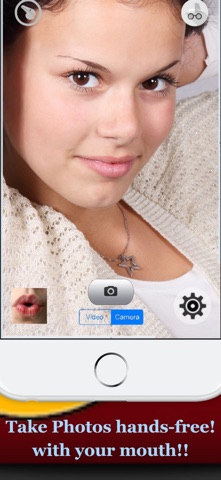


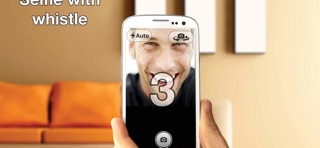

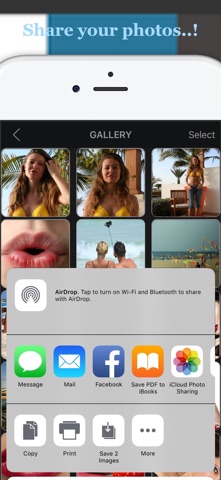
About
Whistle Camera is the original hands-free whistle camera—first released in 2014. Whistle to take selfies and photos without touching the screen. PERFECT FOR • Selfies without touching the screen • Gloves and cold weather • Group photos — set the phone down and whistle • Pet photos — get eye contact, then capture hands-free • Less shake and fewer missed taps MAIN FEATURES • Whistle-to-shoot (front or rear camera) • Countdown timer for better selfies • High-quality photos and autofocus • Optional save to Photos (or keep media inside the app) • Private in-app gallery: view, select, delete, and share • Whistle detection: sensitivity and frequency range tuning • Practice mode in Settings to calibrate your whistle • Optional haptics and live debug overlay for tuning • Home Screen widget — quick launch into Photo (and Video with Pro) • Siri shortcuts and Apple Watch companion • Dark, Light, and System appearance • Multiple languages PREMIUM (PRO) Upgrade to Pro to unlock: • Whistle to start and stop video recording • Extra premium modes and controls • No ads TIPS Whistle not detected? Lower sensitivity (level 1 is easiest), widen the frequency range, or turn on the live debug overlay in Settings. Core capture works offline. Microphone access is required so the app can hear your whistle. Support: https://zukiapps.com/whistle-camera Privacy: https://zukiapps.com/whistle-camera/privacy
What's new · 1.3.11
What’s New in Whistle Camera 1.3.11 Set up your whistle • On first launch, a short prompt helps you calibrate before default settings miss your whistle. • Choose Calibrate to open Settings, Later to decide next time, or Don’t show again. Calibrate first in Settings • Practice Listen and quick presets appear at the top of Detection so tuning is easier to find. • Clearer preset names: Quiet, Balanced, Outdoor, and Noisy. Also included • Stability and wording polish. Thank you for using Whistle Camera.
Details