

Black Camera - Video Recording
Mohammad Masri · Photo & Video
Independent analytics for this App Store listing. AppTracker is not affiliated with Mohammad Masri.
Chart standing · US
What changed · US
Listing changes AppTracker has observed for this app in this storefront — new versions, price moves, rating shifts, and store copy.
lack Camera 2.0 is a complete rebuild. • Black Mode is now truly black: the display dims to its minimum and the viewfinder is fully covered • Start and stop with a long-press anywhere or with the volume buttons, no need to look at the screen • Double-tap anywhere to switch Black Mode on or off • A start chime, a stop chime and a small red dot tell you recording is running • New private gallery protected by Face ID, with share, copy to Photos and delete • New Settings: where captures are saved, Black Mode on record, location tagging • Saving to Photos now asks only for "Add Photos" access instead of your whole library • Clear messages if a photo or video could not be saved • Modern iOS support on iPhone and iPad, and many fixes If the old version let you down, please give 2.0 a try and tell us what you think.
In-app purchases · US
No in-app purchases.
Screenshots



Keywords this app targets
Search terms AppTracker associates with this app — estimates, not search volume. ❝ = in the app's title; a highlighted number is its current position for that term.
Similar apps
Competitors and close alternatives, as estimated by AppTracker.
 Perfect Black Screen Video PRO
Masaki Kobayashi
1 shared topic · 2 shared title words
Perfect Black Screen Video PRO
Masaki Kobayashi
1 shared topic · 2 shared title words
 CovertCam
Adrian Moorhouse
2 shared topics
CovertCam
Adrian Moorhouse
2 shared topics
 Camera1 - Black & White Camera
Sebastien Ardon
2 shared title words
Camera1 - Black & White Camera
Sebastien Ardon
2 shared title words
 Screen Off Recorder
Wujie Yibang (fuzhou) Software Technology Co., Ltd
1 shared topic
Screen Off Recorder
Wujie Yibang (fuzhou) Software Technology Co., Ltd
1 shared topic
 Dark Preview Camera
Kouichi INAFUKU
1 shared title word
Dark Preview Camera
Kouichi INAFUKU
1 shared title word
 SP Camera
Ratha Sou
1 shared topic · 1 shared title word
SP Camera
Ratha Sou
1 shared topic · 1 shared title word
 Black Screen Camera Recorder
Pawel Chmiel
2 shared title words
Black Screen Camera Recorder
Pawel Chmiel
2 shared title words
 BlackVideo (One-Touch Rec!)
AppMadang
1 shared topic
BlackVideo (One-Touch Rec!)
AppMadang
1 shared topic
About
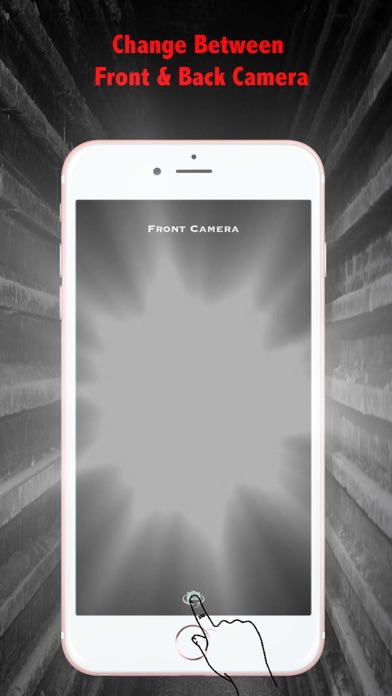
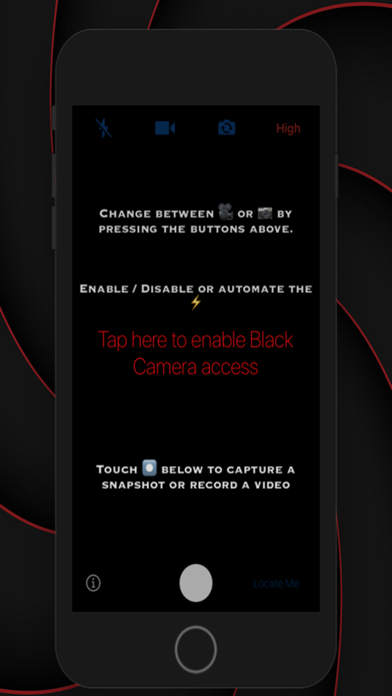
Black Camera records video and takes photos without lighting up the room or drawing eyes to your phone. Tap record and the screen goes truly black: the display dims to its minimum and the viewfinder is covered, while the camera keeps recording in full quality. VERSION 2.0 IS A FRESH START The old Black Mode was not black enough, and you told us so. 2.0 was rebuilt from the ground up: a fully black screen, controls you can use without looking, and a clear signal that recording is running. MADE FOR • Concerts, theatre and comedy shows where a glowing phone bothers everyone • Night shooting, campfires and city lights • Lectures and talks you want to film without distracting the room • A sleeping baby or pet you do not want to wake • Any moment you would rather be present than stare at a screen HOW IT WORKS • Tap the round button, long-press anywhere, or press a volume button to start and stop • Double-tap anywhere to switch Black Mode on or off at any time • Pinch to zoom, even while the screen is black • Haptic taps confirm every action, so you never need to look YOU ALWAYS KNOW IT IS RECORDING Black Camera plays the system start and stop chimes and shows a small red dot for the whole recording, in Black Mode too. You can turn off the sounds or the dot, never both, and the iPhone camera indicator stays visible at all times. Recording only ever starts when you ask for it. PRIVATE GALLERY Keep your photos and videos inside the app instead of Photos, protected by Face ID or your passcode. Share them or copy them to Photos whenever you like. Or save straight to your Photos library. Your choice, in Settings. MORE • Front and back camera, flash and torch • High, medium and low quality • Optional location tagging, off by default • Works on iPhone and iPad PRIVACY Black Camera collects no data. No accounts, no ads, no analytics, no third-party code. Nothing leaves your device. A NOTE ON "BLACK" iOS does not let any app switch the display off while recording. Black Camera dims the screen as far as iOS allows and covers the viewfinder with a pure black view. On OLED iPhones that means the pixels are off. On older LCD iPhones a faint backlight glow can remain in a completely dark room. Questions or ideas? We read every review and we reply.
What's new · 2.0
lack Camera 2.0 is a complete rebuild. • Black Mode is now truly black: the display dims to its minimum and the viewfinder is fully covered • Start and stop with a long-press anywhere or with the volume buttons, no need to look at the screen • Double-tap anywhere to switch Black Mode on or off • A start chime, a stop chime and a small red dot tell you recording is running • New private gallery protected by Face ID, with share, copy to Photos and delete • New Settings: where captures are saved, Black Mode on record, location tagging • Saving to Photos now asks only for "Add Photos" access instead of your whole library • Clear messages if a photo or video could not be saved • Modern iOS support on iPhone and iPad, and many fixes If the old version let you down, please give 2.0 a try and tell us what you think.
Details