

Resize Multiple Images & Email
Sho Kurozumi · Productivity
Independent analytics for this App Store listing. AppTracker is not affiliated with Sho Kurozumi.
Chart standing · US
What changed · US
Listing changes AppTracker has observed for this app in this storefront — new versions, price moves, rating shifts, and store copy.
Fixed an issue that changed the filenames of photos saved to Photos, and restored the previous saving behavior. We apologize for the inconvenience. Email attachments continue to use the selected JPEG or PNG format.
Ratings breakdown · US
The star breakdown behind this app's rating in this storefront.
In-app purchases · US
What this app sells inside itself, grouped by kind and priced for this storefront.
Screenshots

About
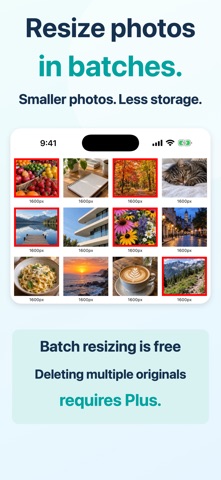
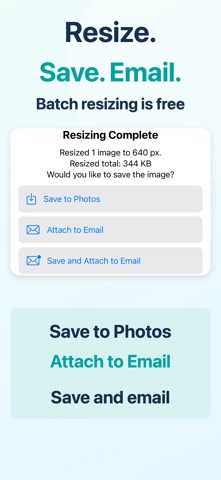
Resize multiple photos and images at once to reduce file size! You can also attach them directly to an email. Make images smaller to reduce email attachment sizes and save photo storage space. You can also save resized images and delete the originals in one operation. Plus is required to delete multiple original photos at once. How to use 1. Select the images you want to resize. You can select multiple images. 2. Tap the Resize button. 3. Choose what to do after resizing. - Save to Photos. - Attach to an email. - Save to Photos and attach to an email. That’s it! You can easily change the target image size in Settings. Choose from three ways to display image dimensions on your photos: - Simple: Show only the longer dimension, width or height. - Detailed: Show both width and height. - None: Hide image dimensions. About deleting original photos Original Live Photos are not deleted. Deleted photos remain in Recently Deleted, so available storage on your device may not increase immediately.
What's new · 2.7.3
Fixed an issue that changed the filenames of photos saved to Photos, and restored the previous saving behavior. We apologize for the inconvenience. Email attachments continue to use the selected JPEG or PNG format.
Details