

myWGU Mobile
Western Governors University · Education
Independent analytics for this App Store listing. AppTracker is not affiliated with Western Governors University.
Chart standing · US
What changed · US
Listing changes AppTracker has observed for this app in this storefront — new versions, price moves, rating shifts, and store copy.
7.1.0 release makes the myWGU app available for the first time to all programs. Any students who may have been redirected to web, now have access to the full app experience. Here's what is also included: New additions - Achievement Wallet - Eligible students will now see an Achievement Wallet tile on their course page, tracking milestones and skills as they progress along their WGU journey. Improved - Dark mode readability - Fixed low-contrast text and controls in dark mode so everything is easier to read. Tablet polish - Cleaned up visual glitches on tablets, including a stray divider and overflow on the Course Detail screen. Battery life on iOS - Fixed a networking issue that was causing extra battery drain on iOS devices.
Price & rating history · US
Reconstructed from the listing changes AppTracker has observed in this storefront. A field is charted once it has changed more than once, and each line starts at the value it moved from.
Average rating · ★ 4.33 now · 2 changes on record
Ratings breakdown · US
The star breakdown behind this app's rating in this storefront.
Screenshots


Similar apps
Competitors and close alternatives, as estimated by AppTracker.


About
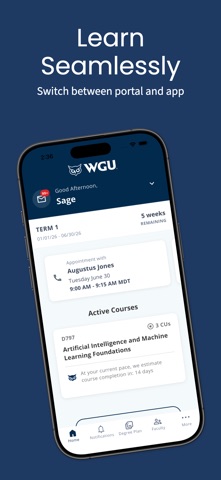
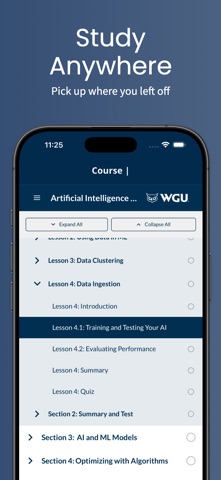
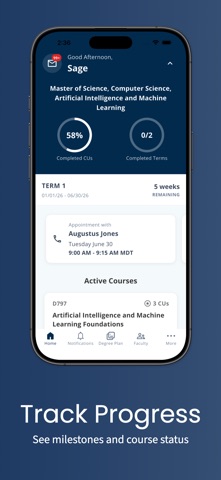
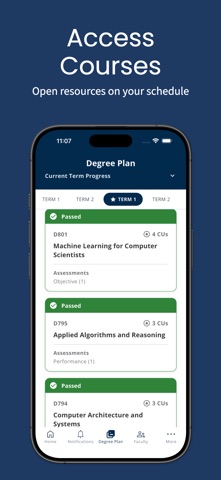
Get ready to take your education on-the-go with the official WGU Mobile app! Designed for active students enrolled at Western Governors University, this app provides a seamless learning experience that's tailored to fit your busy schedule. With WGU Mobile, you can easily access your courses, receive timely push notifications for important updates and assessment statuses, and stay connected with your faculty and peers. The app's intuitive interface allows you to effortlessly navigate your degree plan, access course resources, view your progress, and easily find useful resources like the WGU library and Student Support. The latest version of WGU Mobile features a newly designed degree plan that is optimized for both phones and tablets. Whether you're at home, on a break at work, or commuting, WGU Mobile lets you pick up right where you left off in the Student Portal. And, with quick access to contact information for your program mentor, course instructors, and WGU support departments, you'll have the support you need to succeed in your academic journey. Download WGU Mobile today and experience the convenience of learning at your fingertips!
What's new · 7.1.0
7.1.0 release makes the myWGU app available for the first time to all programs. Any students who may have been redirected to web, now have access to the full app experience. Here's what is also included: New additions - Achievement Wallet - Eligible students will now see an Achievement Wallet tile on their course page, tracking milestones and skills as they progress along their WGU journey. Improved - Dark mode readability - Fixed low-contrast text and controls in dark mode so everything is easier to read. Tablet polish - Cleaned up visual glitches on tablets, including a stray divider and overflow on the Course Detail screen. Battery life on iOS - Fixed a networking issue that was causing extra battery drain on iOS devices.
Details